We may earn revenue from the products available on this page and participate in affiliate programs. Learn More ›
Say goodbye to keys and hello to extra home security with one of today’s smart locks. It’s been a decade or so since smart locks began replacing traditional pin-and-tumbler locks on private homes, and increasingly sophisticated features have become the norm. Our top pick, the Eufy Smart Touch Lock, stood out for its fast fingerprint access, reliable app controls, and excellent overall value—but it wasn’t the only model to impress.
With all the technological advances of the past few years, we wanted to know just how convenient and secure today’s smart locks really are. That’s why we tested them ourselves. We installed each lock on real doors, synced them with smartphones, explored their apps and features, and compared their performance against one another and against traditional door locks.
Whether you’re looking for a simple and secure upgrade, need a model that can accommodate multiple users, or want a lock that fits seamlessly into a larger smart-home system, there’s an option here that fits the bill. The best smart locks are intuitive, reliable, and packed with helpful features—and the following models earned their place on this list through strong hands-on performance.
- BEST OVERALL: Eufy Smart Lock Touch
↓ Jump to Review - BEST BANG FOR THE BUCK: Smonet Smart Lock With Handle ZNS-H001
↓ Jump to Review - BEST WITH KEYPAD: Schlage Arrive Smart Wifi Deadbolt
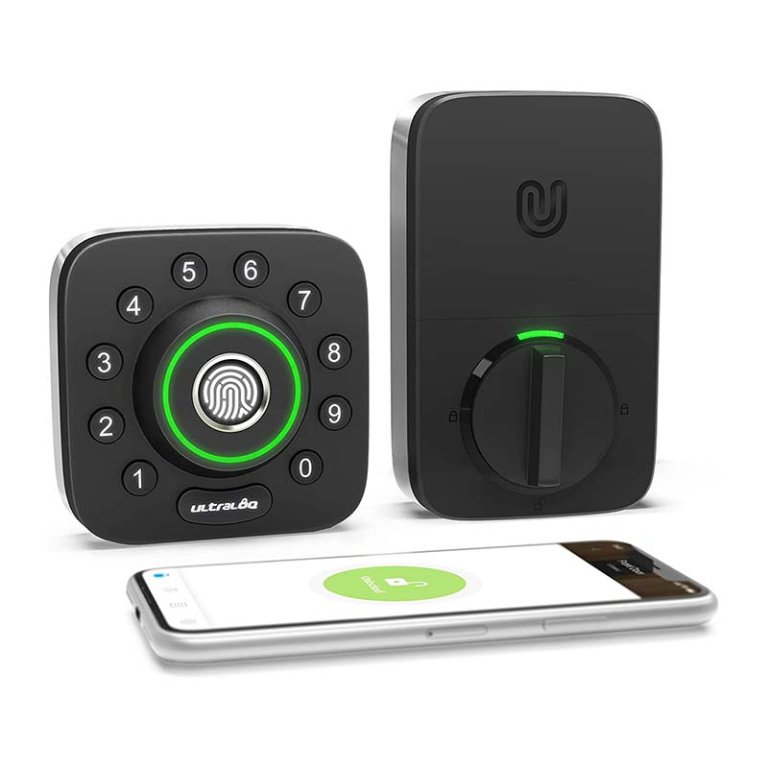
↓ Jump to Review - BEST FINGERPRINT READER: Ultraloq U-Bolt 6-in-1 Smart Deadbolt
↓ Jump to Review - BEST AUTO LOCK: Yale Assure Lock 2 Key-Free Pushbutton Lock Bluetooth
↓ Jump to Review - ALSO CONSIDER: August Smart Lock + Connect Wi-Fi Bridge
↓ Jump to Review
Smart Locks Comparison
| Operations | Alarm | Connectivity | |
| Eufy Smart Lock Touch | Touchpad, fingerprint, app, voice activation, key | No | Wi-Fi, Bluetooth |
| Smonet Smart Lock With Handle ZNS-H001 | App, keypad, fingerprint, fob, key | No | Bluetooth, Wi-Fi (requires separate hub) |
| Schlage Arrive Smart Wifi Deadbolt | App, keypad, physical key | No | Wi-Fi |
| Ultraloq U-Bolt 6-in-1 Smart Deadbolt | App, keypad, fingerprint scanner (smart-home connectivity with additional hub purchase) | No | Bluetooth, Wi-Fi (with hub purchase) |
| Yale Assure Lock 2 Key-Free Pushbutton Lock Bluetooth | App, keypad, key, voice activation (requires additional module) | No | Bluetooth (Wi-Fi and Apple Watch with additional purchase of Yale smart module) |
| August Smart Lock + Connect Wi-Fi Bridge | App, key (existing keyed deadbolt) | Configurable with some home systems, such as SimpliSafe | Wi-Fi |

Our Top Picks
To qualify for a spot on our lineup of the best smart locks, the following models had to be straightforward to install (virtually all door locks install in a similar manner and are easy to replace with just a screwdriver). They had to sync with our smart devices via Bluetooth or Wi-Fi easily, and their functions had to be simple to operate. The following smart locks vary in cost and features, but they all earned a spot on our lineup by providing reliable keyless-entry options.
Best Overall
Photo: Amazon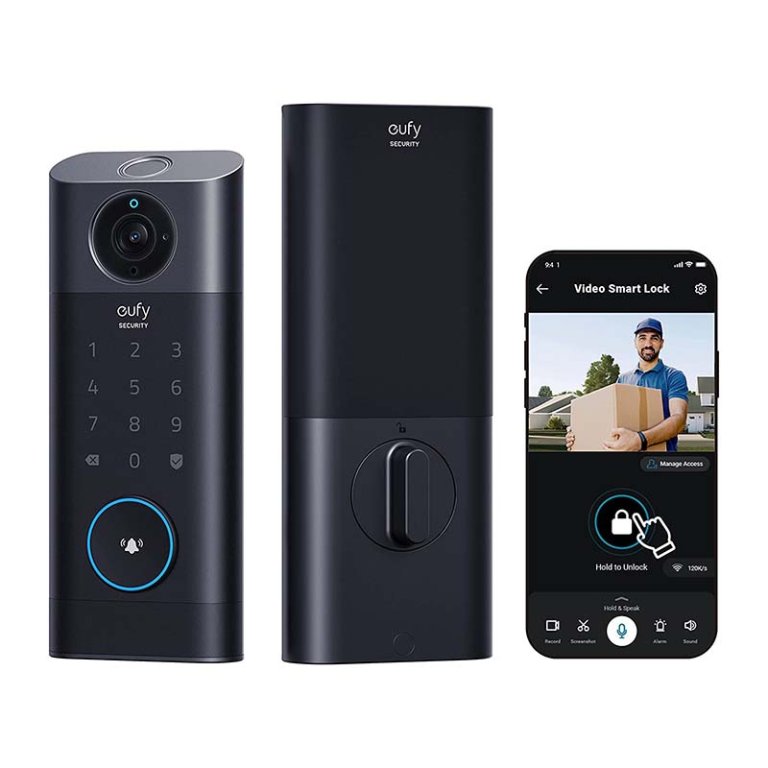
What We Like
- Multiple access methods, including fingerprint and keypad
- Customizable motion alerts sent directly to phone
- Clear video quality with easily visible facial features
What We Don’t Like
- Relatively high price compared to competitors
- Storm door shadows can trigger daytime night vision
Product Specs
- Operations: Touchpad, fingerprint, app, voice activation, key
- Alarm: No
- Connectivity: Wi-Fi, Bluetooth
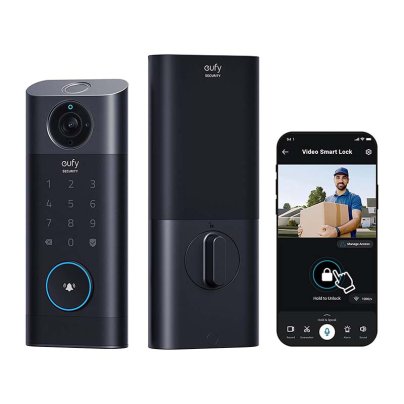
In the past few years, we’ve tested and installed many Eufy security devices, including security cameras and motion-detection floodlights, so we’re familiar with the brand’s high quality. We already had the Eufy app on our smartphone, so once we installed the door lock and activated it (by installing the batteries), the app detected it immediately. Following the steps on the app, we set a security code and entered our fingerprints into the lock’s memory.
Once everything was configured, we started testing. We used fingerprints and the security code to open the lock from outside—both worked flawlessly. We also used voice control via our Alexa system to open and close the lock remotely. We rang the doorbell, which connects wirelessly to an inside chime module that plugs into an electrical outlet, and we viewed the camera videos from our smartphone. The videos were very clear, although a shadow from our storm door (when closed) kept triggering the camera’s night vision setting by blocking some of the sunlight. That was really the only downside to the Eufy smart lock, which we deem very easy to install, sync, and operate.
What our tester says: “I really liked how easy it was to install and sync this smart lock with my Eufy app. Plus, the image quality is good and being able to control the lock via my smartphone was a big perk” —Glenda Taylor, Product Reviews tester and writer
Get the Eufy Smart Lock at Amazon or Newegg.
Best Bang For The Buck
Photo: Amazon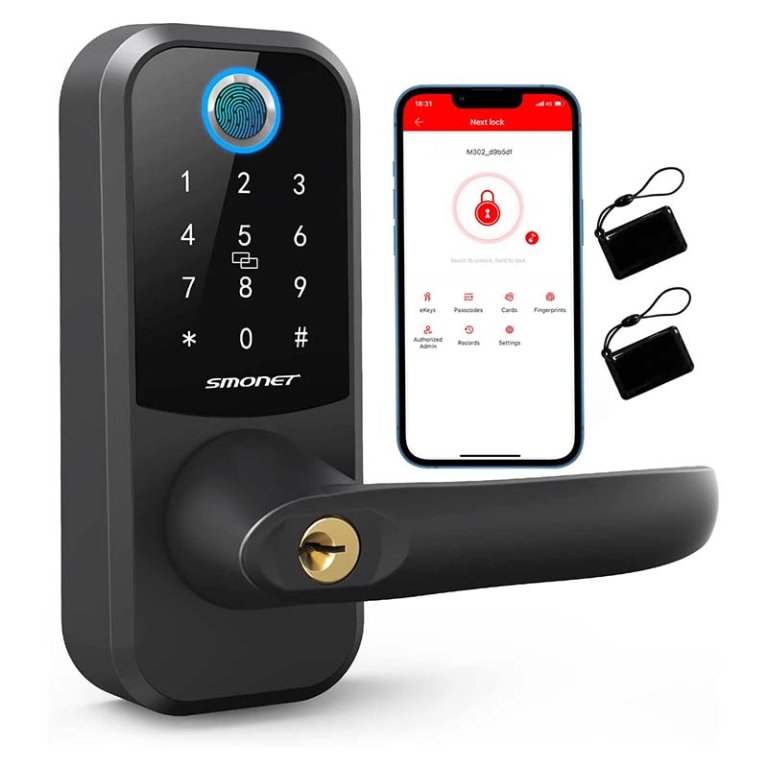
What We Like
- Reversible handle works for right- or left-opening doors
- App is comprehensive with easy setup steps
- Includes two fobs plus reliable backup keys
What We Don’t Like
- Requires separate gateway hub for smart-home integration
- Handle locks offer less security than deadbolts
Product Specs
- Operations: App, keypad, fingerprint, fob, key
- Alarm: No
- Connectivity: Bluetooth, Wi-Fi (requires separate hub)
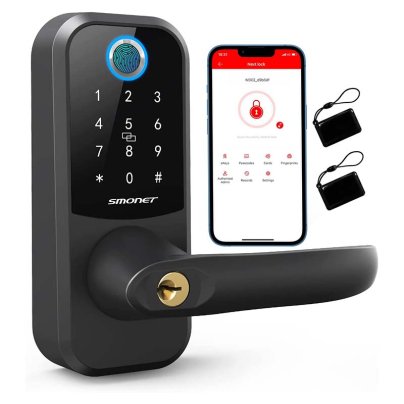
The Smonet Smart Lock offers keyless access while replacing an existing doorknob for doors that don’t have a separate deadbolt. We replaced a keyed knob on an exterior door in our shop, which allowed us to use the new lock’s keypad and fingerprint sensor to unlock the door rather than feeling around on top of the door jamb for the spare key. It also comes with two fobs (small electronic cards that unlock the door when held against the keypad).
One of the neatest things about this fingerprint door lock is that the handle can be quickly switched from one side to the other, so it can be installed on a door that opens from the right or the left. Other handle locks can also be configured to do this, but they often require disassembling the lock to do so. With the Smonet, it was just a matter of depressing a lever and twisting the handle to the other side. Nice!
Once it was installed, we downloaded the app, and it walked us through the configuration process. We’re familiar with several security product apps, and we felt the Smonet app was one of the most self-explanatory. It’s comprehensive, making it well suited for anyone needing extra help configuring a lock. We chose a passcode and entered our fingerprints into the lock’s memory, and the lock opened easily using either.
The included fobs offer even more versatility—all we had to do was hold a fob against the keypad to unlock the door. The fobs can be attached to keychains or even the zipper of a child’s coat. All the features we tested ran on Bluetooth, but they can be connected to Wi-Fi and synced with Alexa or Google Home by purchasing a separate gateway hub to access those features.
Get the Smonet smart lock at Amazon or Smonet.
Best with Keypad
Photo: Amazon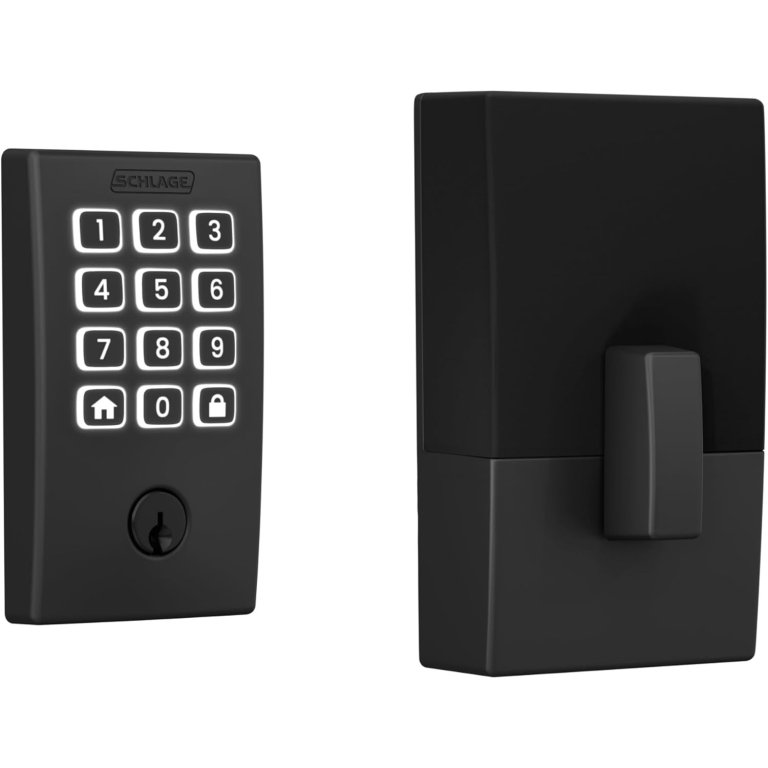
What We Like
- Easy installation with minimal parts
- Direct WiFi connection, no hub needed
- Supports 250 customizable access codes
- Backlit keypad works great at night
What We Don’t Like
- No fingerprint option
- Slightly shorter battery life than some
Product Specs
- Operations: App, keypad, physical key
- Alarm: Yes
- Connectivity: Wi-Fi
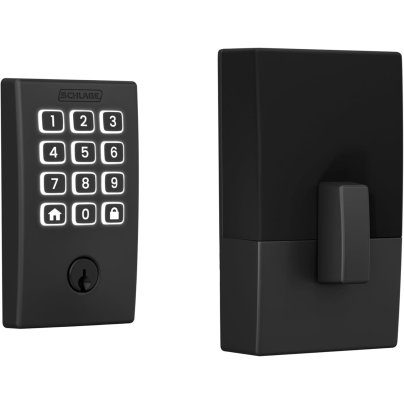
The Schlage Arrive Smart WiFi Deadbolt blends Schlage’s long-standing reputation for security with modern, streamlined usability. It has a simple push-button keypad with backlit, all-weather silicone buttons, making code entry easy in daylight or when coming home at night. With built-in WiFi, it connects directly to your home network—no hubs or bridges required—and pairs with the Schlage Home app for remote locking, notifications, access-code management, and activity history. It’s also compatible with Alexa and Google Home, allowing it to slot neatly into existing smart-home routines.
In our testing, installation was refreshingly straightforward—just a screwdriver and about 30 minutes—and the lock comes in a minimal, uncomplicated package that even first-time smart-lock installers will find approachable. With a whopping 250 unique codes you can create, this is more than suitable for busy households, rental properties, or frequent visitors. While it doesn’t offer fingerprint unlocking, using your phone or a four-digit code makes entry just as quick, and a physical key backup remains easily accessible rather than tucked away behind a hidden panel.
In daily use, this combination door lock felt thoughtfully designed without being overloaded with features. Auto-lock options, reliable battery power, and Bluetooth functionality during WiFi outages help ensure consistent access. For anyone wanting a smart lock that’s modern, secure, and intentionally simple, the Schlage Arrive is an easy upgrade that trades gimmicks for dependable performance.
What our tester says: “I had this lock installed and running in about 30 minutes, and it immediately felt intuitive. I love that it’s packed with useful features without feeling overcomplicated—just reliable smart access that works every time.”—Paul Rankin, Product Reviews tester and writer
Get the Schlage smart lock at Amazon or The Home Depot.
Best Fingerprint Reader
Ultraloq U-Bolt 6-in-1 Smart Deadbolt
Buy at AmazonWhat We Like
- Stylish alternative to standard square or rectangular keypads
- Bright green illumination improves visibility in the dark
- Auto-unlock activates when a paired phone approaches
What We Don’t Like
- Requires separate Wi-Fi hub for smart-home features
Product Specs
- Operations: App, keypad, fingerprint scanner (smart-home connectivity with additional hub purchase)
- Alarm: No
- Connectivity: Bluetooth, Wi-Fi (with hub purchase)
The Ultraloq smart lock uses Bluetooth and a downloaded app to unlock and lock the door from a smartphone. It will also sync with a home network via Wi-Fi, but that requires purchasing a separate hub (which we did not have for testing).
The Ultraloq installed easily on an exterior door with an existing deadbolt lock. We were able to download the app by scanning a QR code in the user’s manual, and the app walked us through the configuration process. This smart lock operates like the other models we tested, but we really liked its attractive appearance, which features number keys in a circle around a fingerprint scanner that sits in the center of the keypad. In addition, when the keypad is touched, a bright green light clearly illuminates the buttons, even at night.
Using the app, it was simple to choose a passcode, and we configured the fingerprint scanner to read four different fingerprints. A nice feature is the adjustable auto-lock timer that we set to automatically engage the lock 30 seconds after closing the door. What’s more, this unit features auto unlock, which senses when the smartphone is nearing the door (at about 7 feet) and unlocks it.
It would have been nice to sync the Ultraloq with our smart-home system, but it was sold separately, like some of the other locks we tested. It is advertised to work with Alexa and Google Home, however, if a Wi-Fi hub is installed.
Get the Ultraloq smart lock at Amazon.
Best Auto Lock
Photo: Amazon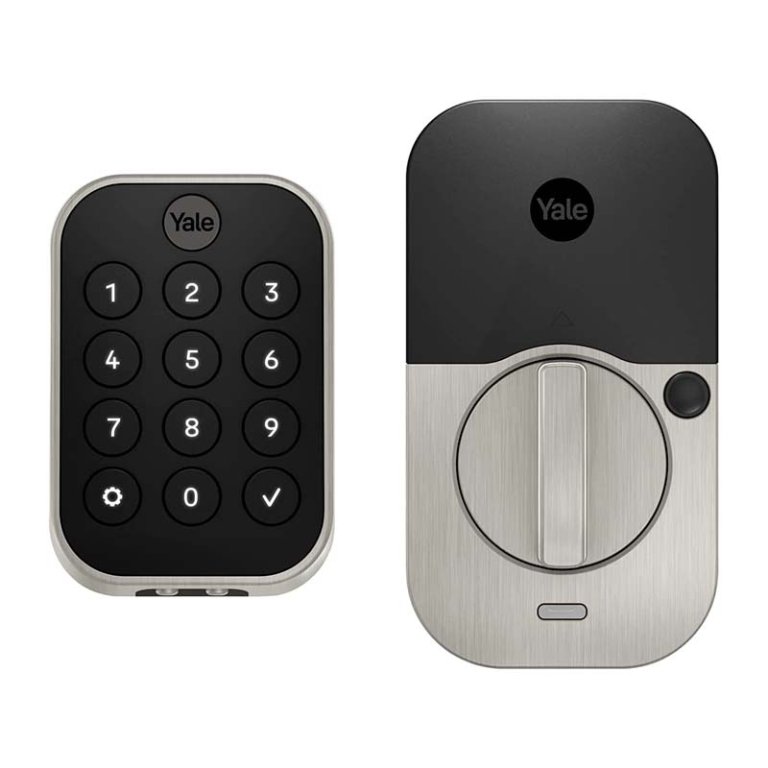
What We Like
- Bright keypad backlight makes keys easy to see
- Supports multiple codes, great for rental properties
- Easy installation with smooth, reliable deadbolt movement
What We Don’t Like
- Requires extra module for key smart-home features
Product Specs
- Operations: App, keypad, key, voice activation (requires additional module)
- Alarm: No
- Connectivity: BBluetooth (Wi-Fi and Apple Watch with additional purchase of Yale smart module)
Yale has a long history of making high-quality hardware and locks, and the Assure Lock 2 carries on the company’s tradition. Like most of the smart locks we tested, the Assure is designed to replace an existing deadbolt, and it was straightforward to install, after which we downloaded the Yale app. Though we used an android smartphone to download the Yale app, Apple owners have even more opportunities, including syncing the smart lock with an Apple Watch, which allows users to activate the lock from their watch.
We set the app to recognize multiple keycodes, and we were able to activate the lock remotely from the app. We could configure the auto lock to lock the door anywhere from 30 seconds to 30 minutes after we closed the door. A nice feature that keeps the auto-lock from becoming annoying is a passage button on the inside of the lock that we could press to deactivate the auto-lock function. Of course, we could also turn it off entirely from the app.
The only disappointing aspect was the lack of built-in Wi-Fi. The Assure is compatible with wireless networks, but a Yale smart module is required (sold separately) to connect it.
Get the Yale smart lock at Amazon or Best Buy.
Also Consider
Photo: Amazon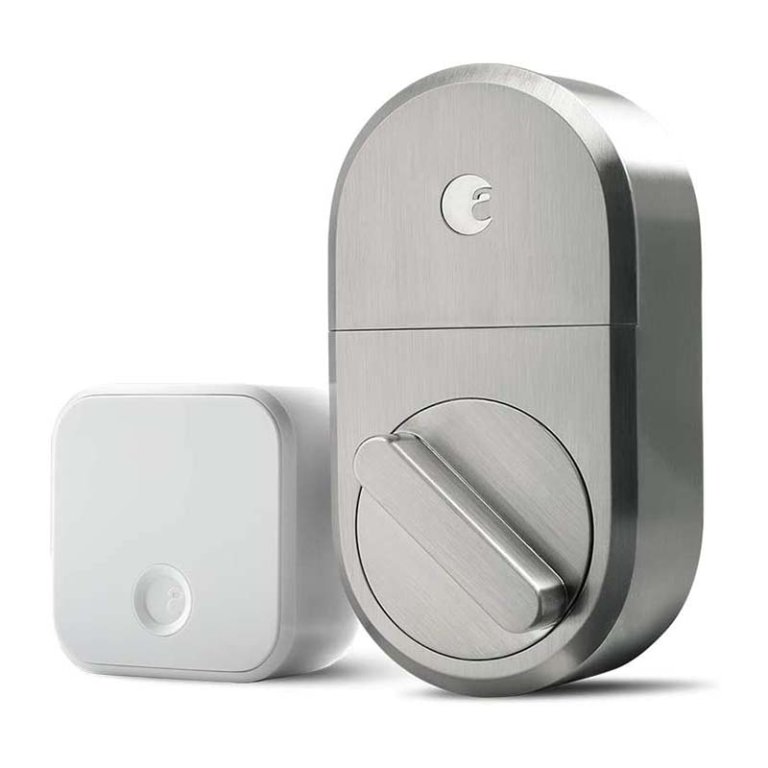
What We Like
- Includes Wi-Fi bridge for quick wireless connectivity
- Fast installation using only a Phillips screwdriver
- App offers versatile features like auto-lock/unlock
What We Don’t Like
- Wi-Fi outages require using the physical key outside
Product Specs
- Operations: App, key (existing keyed deadbolt)
- Alarm: Configurable with some home systems, such as SimpliSafe
- Connectivity: Wi-Fi
Though not much to look at—just an oval-shaped interior deadbolt replacement with a manual thumb knob for locking or unlocking the door from the inside—the August smart lock is designed to work with a deadbolt with an existing keyed outdoor lock. It was a simple process to remove the old deadbolt’s interior section and install the August smart lock. It also includes a bridge module that plugs into a standard outlet and serves as a hub, allowing us to connect the lock with our smart devices via Wi-Fi.
We downloaded the August app, which walked us through multiple configuration options. We were able to set auto lock, which locked the door a few seconds after we left, and we also tried out auto unlock, which unlocked the door when we got about 10 feet away (as long as we had our smartphone with us). We could set multiple key codes and even sync the lock with our Alexa system to use voice controls, such as “Alexa, open the back door.”
The August app offers so many unlocking options that we didn’t feel cheated by its lack of an exterior keypad. Indeed, there is an argument to be made that not seeing a keypad might keep would-be intruders from trying to hack the lock to gain entrance. Plus, those installing the August lock on a door where the exterior keyed deadbolt matches a handset, replacing only the interior section, allows the outside of the door to maintain the same decor style.
Get the August smart lock at Amazon or August.
Jump to Our Top Picks
How We Tested the Best Smart Locks
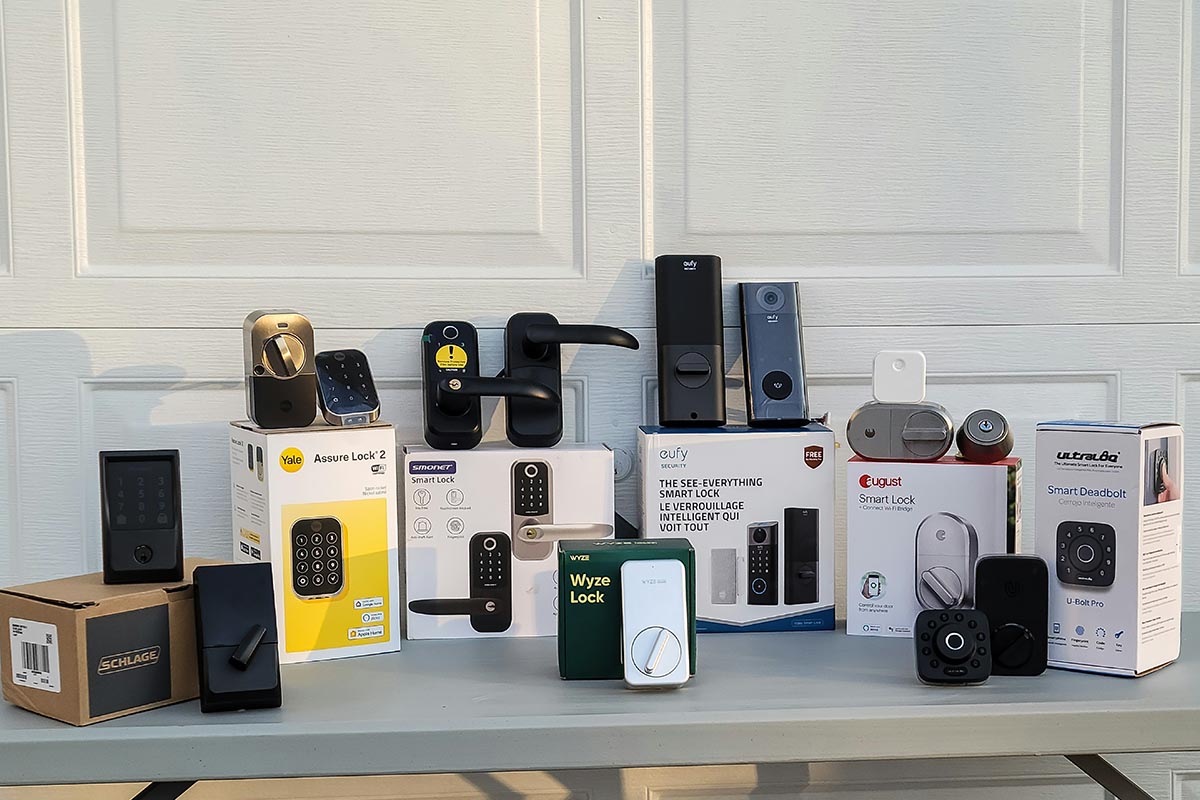
We extensively researched more than 35 different digital locks for doors before selecting the ones to try out in our hands-on testing. We looked carefully at the brand: Manufacturers such as Schlage and Yale have earned long-standing reputations for high-quality doorknobs and locks, while companies such as Eufy are considered tops in home security. Finally, we vetted locks by analyzing customer reviews and ratings and then narrowed our picks down to the top options in various categories.
To test the locks, we installed each one on an existing door. All replaced deadbolts or the interior portion of a deadbolt, except for one that replaced a locking doorknob. Installation was straightforward on all of the locks, primarily due to the vast majority of deadbolt locks and knobs being universal, meaning most install using the same method. In every case, only a Phillips screwdriver was necessary. They all needed batteries to operate the smart functions, and we installed them next.
We tested each lock by downloading and installing the apps and then using them to configure the lock’s features. We tried each feature, configured the locks, and synced them to Bluetooth or Wi-Fi when possible. We were disappointed that some Wi-Fi-capable locks didn’t come with the modules necessary to use the wireless features.
As we tested, we scored each lock using a rubric—the better the lock performed a function, the higher the score it received. After testing, we added and averaged the scores and used them to determine the best categories for each model.
Types of Smart Locks
There are two types of door locks with smart features: familiar deadbolts upgraded for today’s technology and lever-style locks, typically used for secondary entrances.
Deadbolt
Deadbolts come in various styles, but all are basically a sliding bolt that secures the door to the door jamb. The solid structure of the bolt makes it difficult to force the door open. Many smart deadbolt locks allow users to set temporary codes to allow entry to guests, unlock a door via fingerprint recognition, integrate with virtual assistants such as Amazon’s Alexa to be voice-operated, or use a smartphone connected to Bluetooth or Wi-Fi to control the lock. Anyone who’s ever stood in the rain with an armload of groceries while fumbling for a key or locked themselves out of the house can understand the convenience of a keyless entry.
Lever-Style
Lever-style smart locks are a good choice to provide keyless entry for side doors or to lock interior doors, such as those that lead to a garage or guest house. Lever locks are not as secure as deadbolts, so many people don’t put them on a front or main door. Lever-style smart locks may have fingerprint readers, codes, or voice controls through virtual assistants such as Apple’s Siri. Some are also compatible with other smart-home offerings, including security systems.
What to Consider When Choosing the Best Smart Lock
When choosing a smart lock, primary considerations include the door to be secured, who will be entering, and how often they will be entering. If choosing a keyless entry door lock for an Airbnb rental, shoppers may want a smart lock that lets them recode entry passwords. If they want added security for a front door, the best smart lock might be one with an alarm. Consider some of the following fundamentals to help make the right choice.
Battery Life
Most smart locks use four AA batteries, which generally last 6 months to a year, depending on the lock model and how often the lock is opened or closed. To help extend the life of batteries, correctly install the lock and make sure the door is properly aligned. Door-alignment problems can drain the batteries because they keep the locking bolt from sliding easily, requiring the batteries to work harder to engage and disengage the bolt.
Touch Screen
The touch screen of a smart lock can offer a variety of options, including fingerprint recognition and more than 50 customized user codes, so users can lock and unlock the door with a touch or a code. Some locks rotate the code numbers on the touch screen for extra security. Others have up to 100 virtual keys that can be managed remotely through a smartphone app.
Wireless Security and Connectivity
Wireless security with a smart lock can be a double-edged sword. If the power goes out, the app gets a glitch, the Wi-Fi fails, or the batteries in the user’s phone or smart lock go dead, they may not be able to get into their own home. Owners will want to carry a traditional house key as a backup. Virtually all smart locks come with backup keys for use in an emergency.
Keep smart lock software updated and powered with fresh batteries to ensure safety and functionality. Other best practices with a WiFi door lock include using a 16- to 20-character password, ensuring the lock uses encryption to shield it from hackers, and enabling two-factor authentication (such as a code plus a fingerprint).
Smart Home Compatibility
There are great smart locks and there are great smart-home systems, but the two products may not jibe. This can be true even if both the lock and home systems are controlled by the same digital assistant. If shoppers want a smart lock that connects to a smart home system, the best bet is to ensure the two are designed to work together. For example, if already using a smart-home system such as Google Assistant, Alexa, or Wink, look for a digital door lock that is compatible with the existing system.
Voice Control
Each year, more smart locks feature voice control via Apple’s Siri, Amazon’s Alexa, and Google’s Assistant. Smart locks can be controlled with these voice assistants much the same way as other devices are managed. Many people use commands such as “Hey, Siri, unlock the front door.” That’s convenient, but it can also be unsafe. Security experts have shown it’s relatively easy for anyone to use an audio transducer—a device that can turn whatever surface it’s on, such as a window, into a speaker—to command a voice assistant to unlock a door. If choosing to use voice control, it’s best to use a personal identification number or another form of verification to keep the home safe.
Waterproofing
All smart locks are water-resistant and have some form of waterproofing to protect the front from rain, snow, and the occasional stream from a garden hose. The lock’s back is not waterproof, though, so it may fail if it is submerged, such as during a flood. Fully waterproofing a smart lock is expensive and not a common practice.
Additional Features
Smart locks have features designed for various lifestyles. Some allow unlocking the door with a fingerprint. Others let users program access codes quickly, which is helpful if they wish to give out-of-town guests access to their property for a specific time. There are even smart locks for interior rooms that only the room occupant can control—ideal for people who have roommates but want added privacy. Some even send a message to a smartphone if a door is left open or the doorbell rings.
Style and Finish
Some smart locks have the same style and finish options as traditional locks, while others come in just black or silver. Most smart locks are slim and sleek, and many have a keypad for entering a password. The downside to keypads is that they tell the world the lock is smart, which might entice tech-savvy hackers to tamper with it. The latest look in smart locks mimics the appearance of a traditional deadbolt. Users can still gain entrance with a fingerprint, voice command, or a programmable keycard, but the style disguises the lock’s digital capabilities.
The Advantages of Owning a Smart Lock
The main advantage of a smart lock is keyless entry into a home. Smart locks also allow owners to monitor entry into and activity around the door, assign codes for limited access, integrate with virtual assistants and smart home systems, and lock or unlock their door remotely. Other features include:
- Secure keyless entry through a unique passcode, fingerprint, or voice command
- Added security through an alarm or remote visual monitoring
- Easy installation
FAQs
A smart lock works much like a traditional keypad door lock but is controlled by voice, fingerprint, passcode, or remote connectivity via a smartphone.
Keypads, touch screens, and traditional locks are among the possible smart-lock door components.
That varies by manufacturer and model. Locks come with instructions, but generally, you program a number into the lock, push the buttons as instructed by the manufacturer, and it’s all set.
Yes, smart door locks can be hacked (or picked), but proper installation and high security door locks can lessen the danger.
Meet the Testers
Paul Rankin is a product tester and freelance writer with years of hands-on experience reviewing tools, smart home tech, and DIY gear for brands like BobVila.com and Family Handyman. Known for his detail-oriented approach and real-world testing methods, Paul focuses on how each product performs beyond the specs—helping readers find tools that truly make projects easier and more efficient.
Glenda Taylor is a product tester and writer specializing in the construction, remodeling, and real estate industries. She and her husband own a general contracting company, and Taylor is experienced in both residential and commercial building applications. She tests a wide range of power tools as well as other home improvement, household, and lawn-and-garden products.
Additional research provided by Nancy Dunham.