We may earn revenue from the products available on this page and participate in affiliate programs. Learn More ›
Smart thermostats give homeowners far more control over heating and cooling than traditional programmable models, pairing precise temperature management with connected features that can reduce energy use. To find out which options actually deliver on those promises, we tested six smart thermostats, evaluating everything from ease of installation and app usability to automation, design, and real-world performance in everyday homes.
While nearly all smart thermostats give you remote control and scheduling, the differences that matter most show up in daily use. Some models learn your habits and adjust automatically, while others prioritize detailed energy reports, humidity monitoring, or integration with smart home systems. A high-quality thermostat can make your home more comfortable while quietly cutting heating and cooling costs in the background.
After hands-on testing, the Google Nest Thermostat (Gen 4) stood out as our top pick. Its sleek design blends easily into most homes, the interface is smooth and intuitive, and the Nest app makes setup, scheduling, and adjustments refreshingly simple. It strikes the best balance between automation, control, and ease of use for most households.
Ahead, we’ll break down the key features to consider before buying and explain how we tested each model, helping you choose confidently from the best smart thermostats available today.
- BEST OVERALL: Google Nest Gen 4
↓ Jump to Review - BEST BANG FOR THE BUCK: Amazon Smart Thermostat
↓ Jump to Review - BEST SMART FEATURES: Ecobee Smart Thermostat Essential
↓ Jump to Review - BEST TOUCHSCREEN: Sensi Touch 2 Smart Thermostat
↓ Jump to Review - BEST BASIC: Honeywell Home X2S Smart Thermostat
↓ Jump to Review - BEST WITH REMOTE SENSOR: Honeywell Home T9 Smart Thermostat With Sensor
↓ Jump to Review
Before You Buy a Smart Thermostat
Smart thermostats offer energy savings in a simple set-it-and-forget-it device. Say goodbye to middle-of-the-night trips down the hall to fiddle with the thermostat because you’re too hot, too cold, or trying to save a few bucks. You can adjust a smart thermostat from anywhere, even while you’re on vacation a thousand miles away.
While smart thermostats offer convenience and conserve energy, they’re not for everyone. A smart thermostat requires a Wi-Fi network to operate and a bit of tech savvy (or a professional) to install it. If you decide to buy a smart thermostat, keep the following factors and features in mind so you can make an informed purchase.
Smart Thermostats Comparison
| Product | Smart Home Compatibility | C-Wire Required | Screen Size |
|---|---|---|---|
| Google Nest Gen 4 | Google Home | No | 2.7-inch diameter circular LCD |
| Amazon Smart Thermostat | Alexa | Yes, or a power adapter kit | 3.5 by 3.5 inches |
| Ecobee Smart Thermostat Essential | Amazon Alexa, Android, Apple HomeKit, Google Assistant, iOS | Yes (or you need the Ecobee Power Extender Kit) | 2.8-inch full-color LCD touchscreen |
| Sensi Touch 2 Smart Thermostat | Alexa, Google Assistant, SmartThings | No | 5.6-by-3.25-inch glass touchscreen |
| Honeywell X2S Smart Thermostat | Resideo, Amazon Alexa, Apple Home, or Google Assistant | Yes | 1.75-by-2.75-inch LCD |
| Honeywell Home T9 Smart Thermostat With Sensor | Alexa, Google Assistant, Cortana, SmartThings, Apple HomeKit, IFTTT | Yes | 3.5 inches (diagonally) |
Our Top Picks
The best model for your home will be easily programmable and compatible with your HVAC system and other smart home technology. While each model has its advantages, any of the following top-rated thermostats would be an asset in most homes.
Best Overall
Photo: Amazon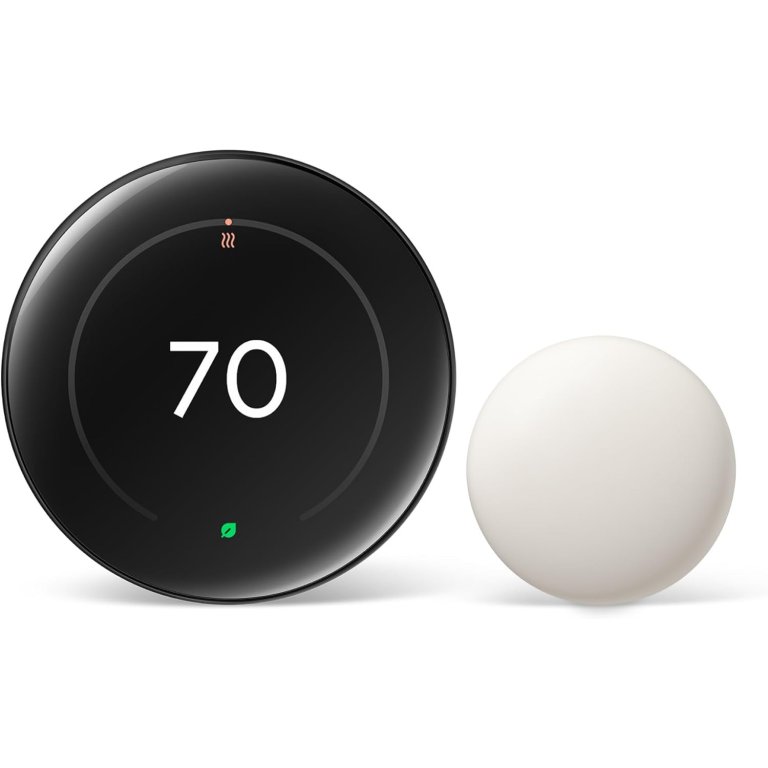
What We Like
- Luxurious dial and display design
- Exceptionally easy DIY installation
- Learns habits automatically over time
- Polished, intuitive Google Home app
What We Don’t Like
- Higher price than basic competitors
- Limited appeal without Google ecosystem
Product Specs
- Smart home compatibility Google Home
- C-wire required No
- Screen size 2.7-inch diameter circular LCD
Our Ratings
| Installation and Setup | 5/5 | Ease of Use | 5/5 | Functionality | 5/5 | Value | 5/5 |
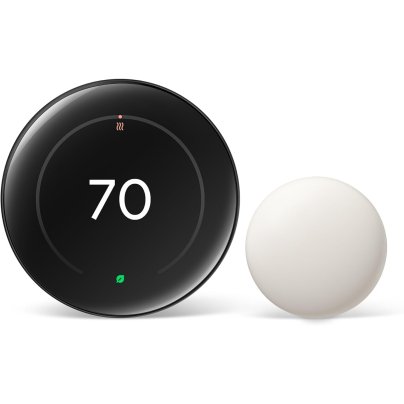
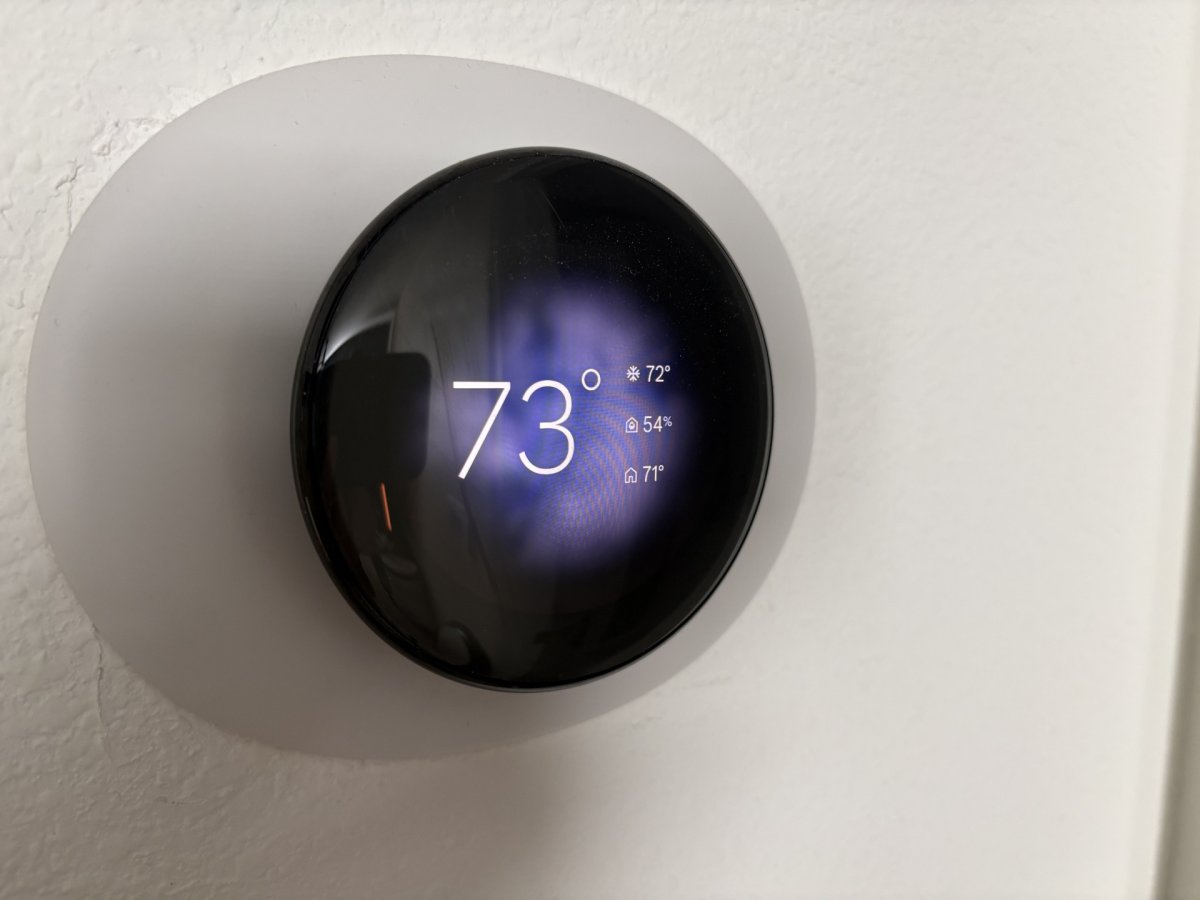
The Google Nest Thermostat (Gen 4) sets the standard for modern smart thermostats for home use: it’s intuitive, beautiful, and genuinely helpful in everyday use. We tested this model for 6 months in our Florida home, where the air conditioner runs nearly nonstop, and it handled the workload effortlessly. Installation was remarkably simple thanks to clear, app-guided instructions and a thoughtfully designed mounting system that makes this one of the most DIY-friendly options we’ve tested. Even users new to smart home tech should feel confident tackling the setup on their own.
Once installed, the Nest Gen 4 is a pleasure to use. The smooth, gliding circular dial feels premium, and the display is easily one of the most attractive we’ve seen on a digital thermostat for home use. You can customize what appears on screen, from temperature to weather animations; we especially loved setting it to display the day’s forecast with subtle visual cues, such as animated rainfall. In daily use, the Nest’s learning features really shine. Over time, it adapts to your habits, automatically adjusting cooling or heating schedules based on when you typically tweak the temperature during the hottest (or coldest) parts of the day.
Beyond comfort, the Nest Gen 4 excels as an energy-efficient thermostat, quietly optimizing performance without constant input. The Google Home app is fast, polished, and easy to navigate, making remote adjustments and schedule changes simple. While it’s not the cheapest option on the market, the combination of design, automation, and ease of use makes it the best overall smart thermostat we’ve tested.
What our tester says: “I’ve tested a lot of smart home gear, but this is one of the few products that feels genuinely joyful to use every single day. From the display to the app, everything just works exactly how you want it to.”—Paul Rankin, Product Reviews tester and writer.
Get the Google Nest smart thermostat at Amazon, The Home Depot, Lowe’s, or Walmart.
Best Bang for the Buck
Amazon Smart Thermostat
Buy at AmazonWhat We Like
- Very affordable smart thermostat option
- Simple app and voice controls
- Alexa automation works reliably
- Clean, easy-to-read digital display
What We Don’t Like
- Energy tracking lacks precision
- Best features require Alexa ecosystem
Product Specs
- Smart home compatibility Alexa
- C-wire required Yes, or a power adapter kit
- Screen size 3.5 by 3.5 inches
Our Ratings
| Installation and Setup | 4.3/5 | Ease of Use | 4.5/5 | Functionality | 4/5 | Value | 4.2/5 |
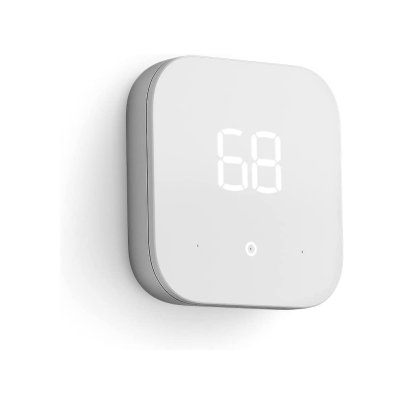
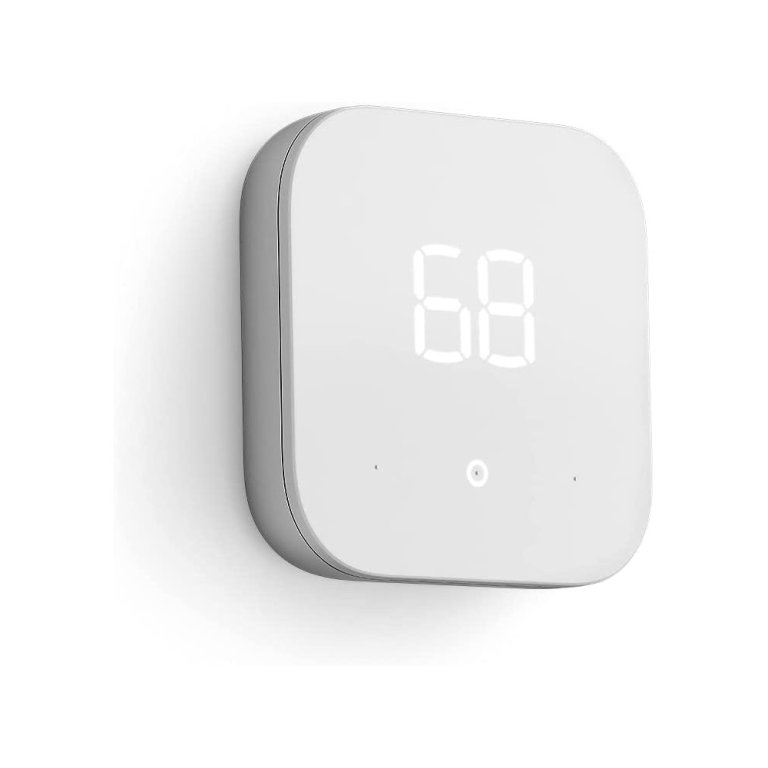
The Amazon Smart Thermostat proves that you don’t have to spend a lot to get meaningful smart features, making it one of the most accessible smart thermostats we’ve tested. Despite its compact size and budget-friendly price point, it delivers solid performance, app-based control, and voice integration that rivals more expensive models. This programmable thermostat is designed to work seamlessly with Alexa, allowing users to manage temperature settings through the Amazon Alexa app or compatible Echo devices.
In daily use, the thermostat is straightforward and intuitive. The app layout is clean and easy to navigate; selecting the thermostat brings up full-screen, color-coded controls with a simple slider for temperature adjustments. Users with compatible systems can take advantage of Alexa’s “Hunches,” which automatically tweak settings based on whether you’re home, away, or asleep. During testing, we found it easy to create and manage a full 7-day schedule using voice commands on an Echo Show, reinforcing how well this wireless thermostat fits into an existing Amazon ecosystem.
For energy-conscious households, the Amazon Smart Thermostat includes basic energy monitoring tools that estimate daily HVAC usage. While these insights are helpful for spotting trends, they’re more directional than precise. Visually, the thermostat has a minimalist look reminiscent of an Echo Dot, paired with a clear digital thermostat display that’s easy to read from across the room. It also supports simpler HVAC setups, including being a 2-wire smart thermostat powered by batteries, which can be a major plus for older homes. Overall, it’s an excellent value-driven option that delivers reliable smart functionality without unnecessary extras.
Get the Amazon smart thermostat at Amazon.
Best Smart Features
Photo: Amazon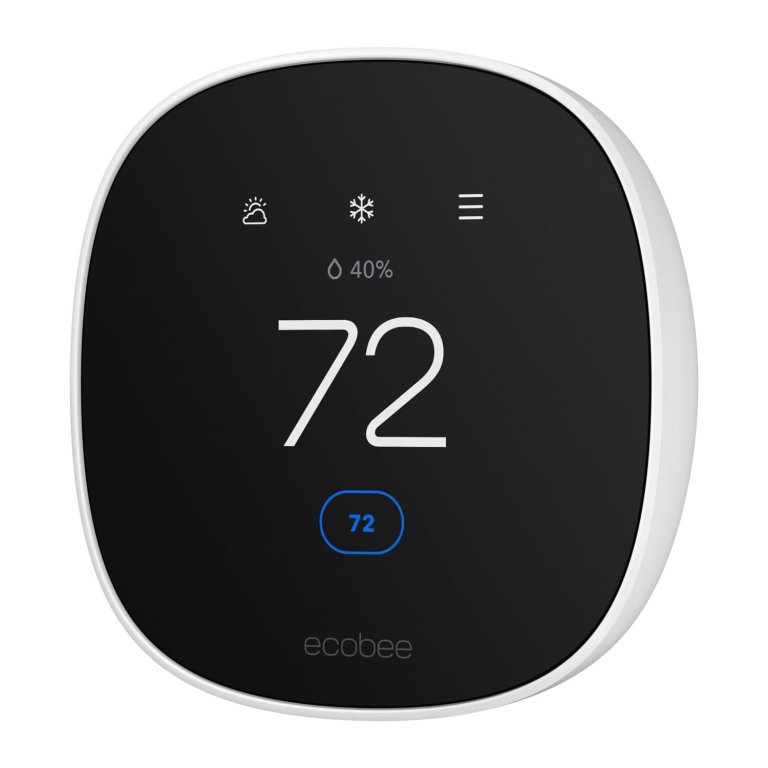
What We Like
- Excellent app and energy insights
- Supports multi-room temperature balancing
- Quick, beginner-friendly installation
What We Don’t Like
- Remote sensors sold separately
- No 5GHz Wi-Fi support
Product Specs
- Smart home compatibility Amazon Alexa, Android, Apple HomeKit, Google Assistant, iOS
- C-wire required Yes (or you need the Ecobee Power Extender Kit)
- Screen size 2.8-inch full-color LCD touchscreen
Our Ratings
| Installation and Setup | 4.5/5 | Ease of Use | 4.5/5 | Functionality | 4.5/5 | Value | 4.8/5 |
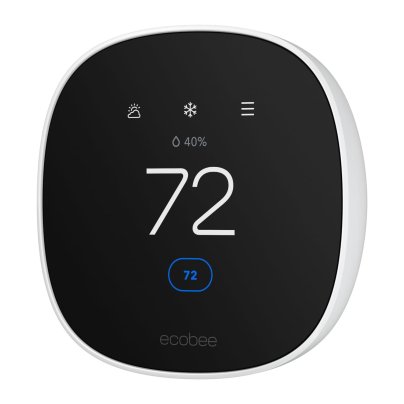
The Ecobee Smart Thermostat is built for homeowners who want deeper automation and smarter control than a basic upgrade can offer. During testing, installation was refreshingly simple, taking about 15 minutes with clear, well-organized instructions. The thermostat connected quickly to Wi-Fi and paired smoothly with the Ecobee app, which immediately stood out for its clean layout and intuitive controls. From scheduling to system adjustments, everything felt logical and easy to navigate from day one.
What really sets Ecobee apart is the breadth of its smart features. The glass touchscreen looks sharp on the wall, but most users will likely rely on the app or voice control for day-to-day use. For households that prioritize room-by-room comfort, Ecobee shines as a thermostat with remote sensor support. It includes one SmartSensor to help balance temperatures in occupied spaces, with the option to expand coverage throughout the home.
The app also provides detailed energy insights, making it easier to spot usage trends and fine-tune schedules. That said, remote sensors are sold separately, and the system only supports 2.4GHz Wi-Fi, which may be limiting for some newer home networks. Still, for users who want good automation, multi-room awareness, and a polished smart home experience, Ecobee delivers one of the most feature-rich thermostats available.
Get the Ecobee smart thermostat at Amazon or Best Buy.
Best Touchscreen
Photo: Amazon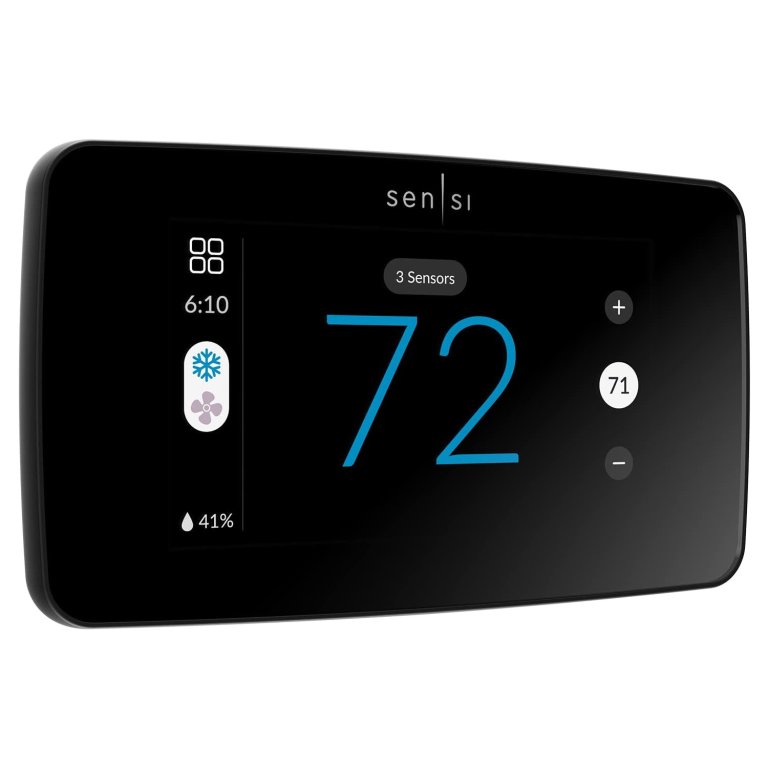
What We Like
- Large, easy-to-read touchscreen display
- Best-in-class app-guided installation
- Strong privacy-first approach
- Room sensor compatibility for expansion
What We Don’t Like
- Room sensors sold separately
Product Specs
- Smart home compatibility Alexa, Google Assistant, SmartThings
- C-wire required No
- Screen size 5.6-by-3.25-inch glass touchscreen
Our Ratings
| Installation and Setup | 4.8/5 | Ease of Use | 5/5 | Functionality | 4.5/5 | Value | 5/5 |
The Sensi Touch 2 Smart Thermostat is a strong choice for homeowners who want a clean interface, dependable performance, and thoughtful privacy protections without unnecessary complexity. Installation was quick and painless in our testing, with app-guided instructions that walk you through each step directly on your phone. Using Bluetooth during setup makes the process especially smooth, and most users should be able to get this thermostat up and running in well under 30 minutes.
Once installed, the wide touchscreen display immediately stands out. It’s larger and easier to read from across the room than many competing models, and the interface is simple and uncluttered. In daily use, the app mirrors that same straightforward design, making it easy to adjust temperatures, create schedules, and review usage reports. As a modern digital thermostat, it balances smart functionality with a refreshingly approachable user experience that doesn’t feel overwhelming.
The Sensi Touch 2 also supports optional room sensors (sold separately), giving you the ability to fine-tune comfort throughout the house. While we didn’t test the sensors firsthand, we appreciate the flexibility they offer, especially in homes where temperatures vary significantly between rooms during the day. Energy-conscious users will also benefit from Energy Star certification, smart maintenance alerts, and usage reports that help identify opportunities to save. Add in Sensi’s commitment to user privacy—explicitly stating it won’t sell personal data—and this thermostat becomes an appealing, well-rounded option for everyday smart climate control.
What our tester says: “The app-guided install was the standout for me—it walks you through everything step by step and makes setup feel almost foolproof. I also loved how large and easy the touchscreen is to read from across the room.”—Paul Rankin, Product Reviews tester and writer.
Get the Sensi smart thermostat at Amazon, Lowe’s, The Home Depot, or Walmart.
Best Basic
Photo: Amazon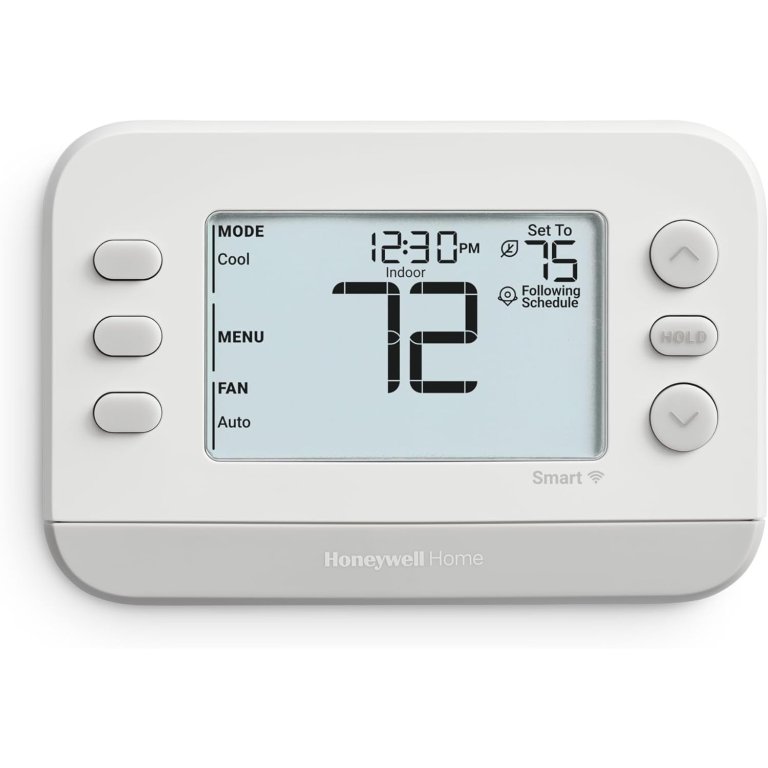
What We Like
- Excellent budget-friendly smart upgrade
- Simple, familiar button-based controls
- Reliable app and Wi-Fi connectivity
- Matter certified for broad compatibility
What We Don’t Like
- No touchscreen interface
- App feels basic compared to premium models
Product Specs
- Smart home compatibility Resideo, Amazon Alexa, Apple Home, or Google Assistant.
- C-wire required Yes
- Screen size 1.75-by-2.75-inch LCD
Our Ratings
| Installation and Setup | 4.7/5 | Ease of Use | 4/5 | Functionality | 4.3/5 | Value | 5/5 |
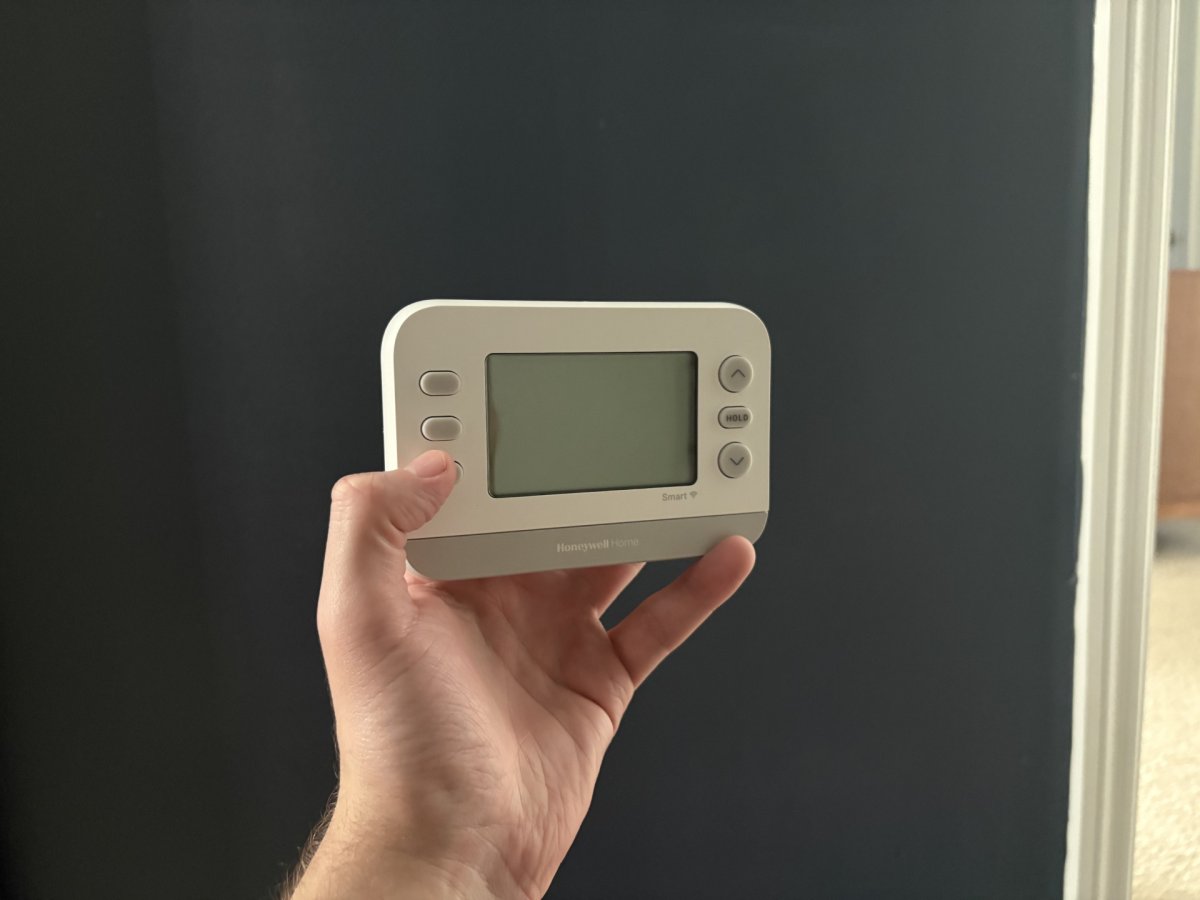
The Honeywell Home X2S Smart Thermostat is a straightforward option for homeowners who want basic smart functionality without paying for premium design or advanced automation. In testing, this thermostat proved easy to install and simple to use, making it a strong candidate for replacing an older, non-connected unit. While it doesn’t try to reinvent the category, it delivers dependable performance at a price point that’s hard to beat.
Visually, the X2S looks like a classic Honeywell thermostat with a subtle tech upgrade. There’s no touchscreen here; instead, you get tactile rubber buttons that will feel familiar to anyone who’s used traditional thermostats over the years. We actually appreciated this no-frills approach, as it makes everyday adjustments quick and intuitive. Through Wi-Fi connectivity and app access, the X2S allows you to change temperatures, set schedules, and monitor system status remotely using the First Alert app.
Despite its simplicity, the X2S includes a handful of smart features that integrate easily into daily routines. Energy Star certification, flexible scheduling options, auto-away functionality, humidity monitoring, and filter-change reminders add meaningful value without overcomplicating the experience. It’s also Matter certified, which helps future-proof the thermostat for compatibility with major smart home platforms. While the app isn’t as polished as higher-end competitors like the Nest, it works reliably and gets the job done. For users looking for an affordable, familiar-feeling upgrade with just enough smart capability, the Honeywell Home X2S is an excellent entry-level choice.
Get the Honeywell Home X2S smart thermostat at Amazon, The Home Depot, or Honeywell Home.
Best For Remote Sensor
Photo: Amazon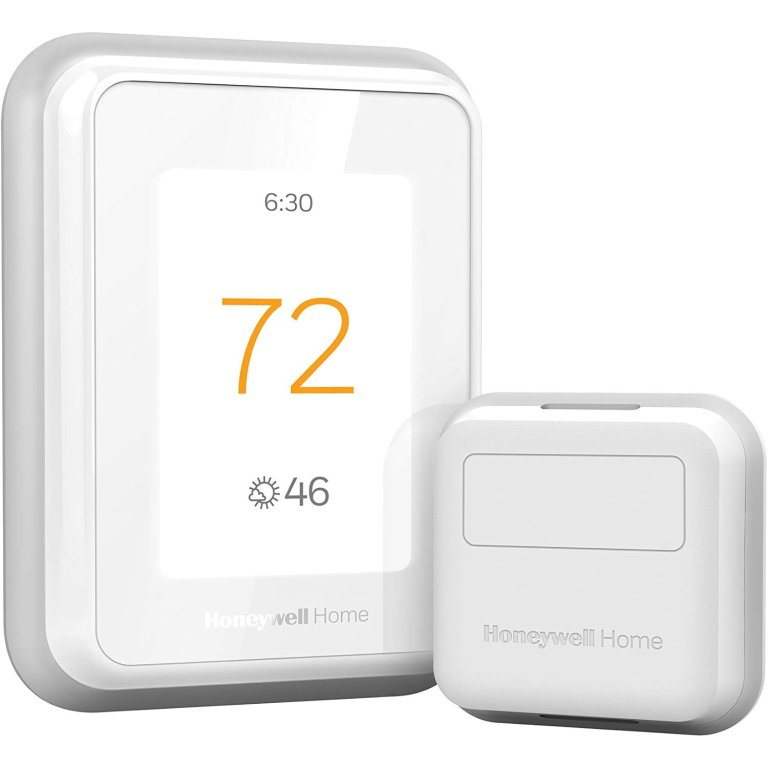
What We Like
- Excellent room sensor prioritization
- Accurate, responsive touchscreen controls
- Reliable geofencing and automation
- Great for uneven home temperatures
What We Don’t Like
- Requires C-wire for installation
- Higher cost with additional sensors
Product Specs
- Smart home compatibility Alexa, Google Assistant, Cortana, SmartThings, Apple HomeKit, IFTTT
- C-wire required Yes
- Screen size 3.5 inches (diagonally)
Our Ratings
| Installation and Setup | 5/5 | Ease of Use | 5/5 | Functionality | 4.8/5 | Value | 5/5 |
The Honeywell Home T9 Smart Thermostat is designed for households where comfort isn’t evenly distributed from room to room. Compact in size but powerful in capability, it combines geofencing, motion detection, and room-based temperature monitoring to deliver more precise climate control. During testing, the system proved accurate, intuitive, and especially effective in homes with hot or cold spots that a single thermostat can’t manage on its own.
Where the T9 truly excels is its sensor-driven performance. As a thermostat with a remote sensor, it allows you to choose exactly which room the system should prioritize at any given time. This removes the guesswork we’ve seen with other sensor-based systems and gives homeowners direct control over comfort. In testing, this feature made a noticeable difference in a cold bonus room, allowing us to boost temperatures there without overheating the rest of the house. The thermostat also learns daily routines and uses geofencing to automatically adjust settings when you’re away, helping reduce energy use without manual input.
The large, full-color touchscreen is easy to read and responsive, displaying current temperature, set temperature, and humidity at a glance. We found it simple to adjust heating and cooling targets directly on the unit or through the Honeywell app, which makes scheduling and quick changes straightforward. While installation does require a C-wire and Wi-Fi connection, the payoff is a smart thermostat with humidity control that delivers excellent multi-room comfort control. For larger homes or spaces with uneven temperatures, the T9 stands out as the best sensor-based option we’ve tested.
Get the Honeywell Home T9 smart thermostat at Amazon, Lowe’s, or Target.
Jump to Our Top Picks
How We Tested the Best Smart Thermostats
| Products tested | 6 |
| Time spent testing | 2 weeks minimum, up to 6 months |
| Tests performed | 4 to 5 |
| Price range | $50 to $250 |
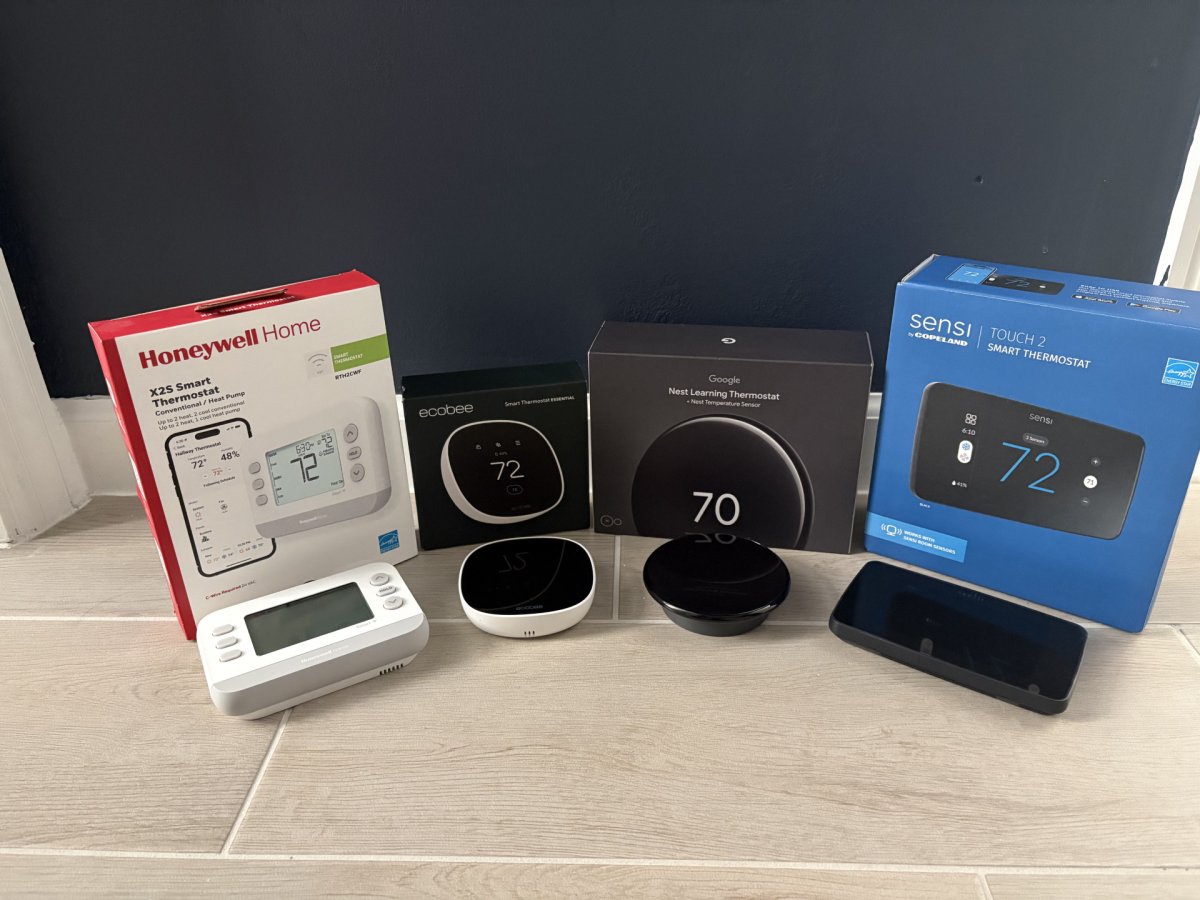
To determine our top picks, we researched and compared smart thermostats from leading manufacturers, then conducted hands-on testing with six models that represented a range of prices, features, and installation requirements. Each thermostat was evaluated on ease of installation, app setup, interface usability, responsiveness to temperature changes, reliability of Wi-Fi connectivity, and overall performance in daily use. We also considered design, smart features such as learning algorithms, geofencing, and room sensors, as well as energy-saving tools, privacy policies, and overall value.
During testing, we installed each thermostat in a real home environment, monitored performance over time, and used both on-device controls and mobile apps for adjustments. Products were scored across multiple weighted categories, including usability, smart functionality, installation experience, and price, with extra consideration given to consistency and reliability. Final rankings reflect a balance of hands-on performance, features, and real-world value for homeowners.
| Product | Installation and Setup | Ease of Use | Functionality | Value |
|---|---|---|---|---|
| Google Nest Gen 4 | 5/5 | 5/5 | 5/5 | 5/5 |
| Amazon Smart Thermostat | 4.3/5 | 4.5/5 | 4/5 | 4.2/5 |
| Ecobee Smart Thermostat Essential | 4.5/5 | 4.5/5 | 4.5/5 | 4.8/5 |
| Sensi Touch 2 Smart Thermostat | 4.8/5 | 5/5 | 4.5/5 | 5/5 |
| Honeywell Home X2S Smart Thermostat | 4.7/5 | 4/5 | 4.3/5 | 5/5 |
| Honeywell Home T9 Smart Thermostat With Sensor | 5/5 | 5/5 | 4.8/5 | 5/5 |
What to Consider When Choosing a Smart Thermostat
Smart thermostats range from around $125 to $500, but they are only as good as their features. Shopping for this tech can be confusing. Consider which of the following features are “must haves” or “don’t wants” before selecting a unit. If a thermostat is too complex to configure and operate, it won’t save you any money.
HVAC Compatibility
Before choosing a smart thermostat, it’s really important to make sure that it will work with your HVAC system. Most modern smart thermostats support common setups like single-stage heating and cooling, heat pumps, and multi-stage systems, but compatibility varies by model. Some thermostats require a C-wire for constant power, while others can operate as a 2-wire smart thermostat or use batteries instead. Homes with older wiring may benefit from a battery-powered smart thermostat, which can avoid the need for electrical upgrades.
It’s also important to check system limits, such as how many heating and cooling stages are supported, whether the thermostat works with heat pumps that include auxiliary heat, and if it can handle features like humidifiers or dehumidifiers. Manufacturers typically provide compatibility checkers online, which are worth using before you buy.
Skipping this step can lead to frustrating installs or missing features. Even the most advanced thermostat won’t perform well if it’s not designed to work with your HVAC equipment, so compatibility should always be the first box you check.
Energy-Saving Features
Many smart thermostats reduce energy use by automating when and how your HVAC system runs, rather than relying on constant manual adjustments. One of the most effective tools is geofencing, which uses your smartphone’s location to tell whether you’re home. After setting a radius around your house, the thermostat can ease back heating or cooling when you leave and begin adjusting again as you head home, helping prevent wasted energy. For geofencing to work reliably, location services must remain enabled on your phone.
Motion detection and occupancy sensing add another layer of efficiency. Some thermostats use built-in sensors, while others rely on add-ons to detect which rooms are actually in use. When movement is detected, the system prioritizes comfort in occupied spaces and reduces output elsewhere, which can be especially helpful in larger or multi-level homes.
Scheduling still plays an important role, too. Flexible schedules allow you to set predictable temperature changes around work hours, sleep, and weekends. When combined, geofencing, motion detection, and scheduling help smart thermostats save energy without sacrificing comfort.
Smart Home Integration
Smart thermostats integrate with popular home automation and voice assistant systems such as Google Home, Amazon Alexa, Apple Homekit, SmartThings, Wink, Vera, and Logitech Harmony. Integration into a smart home system often allows for voice control through digital assistants, like Alexa and Google Assistant. Some are compatible with only one or two systems, so before you buy a thermostat, make sure it works with your smart home system.
You control your smart thermostat through its corresponding downloadable smartphone app. Most apps come in iOS and Android versions, but not all of them do, so check before you buy. Some smart thermostats need only a smartphone for programming. Others need time to “learn” the residents’ habits to regulate the home’s temperature.
Display
Designed with ease-of-use in mind, many smart thermostats include user-friendly onboard displays that control some or all of their features. All smart thermostats have compatible apps that offer the full range of controls, but on-board controls may offer only a selection of the thermostat’s features.
Some smart thermostats have a small display to view and control basic functions, while others have large, touchscreen displays to adjust a range of settings. When choosing a thermostat, consider if you prefer controlling the thermostat from your phone or if you’ll take advantage of robust on-board controls.
C-Wire Requirement
Smart thermostats require more electricity than either manual or programmable thermostats to power their network connections and GPS functions. This means the model you select may require a common wire (also known as a C-wire) that runs from the thermostat to the HVAC system. Some thermostats come with a power extender kit (PEK) as an alternative to a C-wire.
Pro Tip: If your home is less than 10 years old, it probably already has a C-wire. If not, you’ll need to have one installed or purchase a smart thermostat that doesn’t require a C-wire to function.
Ease of Installation
While many smart thermostats need only a confident DIYer to complete installation, those who are unsure about working with wiring should opt for professional installation. Before buying a smart thermostat, double-check its compatibility with your HVAC system so you don’t run into any hiccups during setup.
Many smart thermostats require a C-wire for installation. If your current system does not have a C-wire, consider hiring an electrician or HVAC technician to install one (or choose a thermostat that doesn’t require one). Once the smart thermostat is installed, setup is relatively straightforward and involves connecting to the home WiFi and corresponding app to get the thermostat up and running.

The Advantages of Owning a Smart Thermostat
Convenience and reduced utility bills top the list of reasons to install a smart thermostat, but those are not the only reasons. Here’s a few more:
- Users turn the heat (or AC) up or down remotely.
- The device programs the HVAC system to run less when no one’s home for added energy savings.
- Some smart thermostats provide energy use tracking and analysis to help users understand where loss occurs.
FAQ
Smart thermostats make controlling your home’s heating and cooling system a breeze. A Wi-Fi thermostat allows you to adjust the temperature from anywhere from your smartphone, whether you’re on the couch or vacationing on the beach. Those who want more info on shopping for and using a smart thermostat for the first time should check out answers to these common questions.er you’re on the couch or vacationing on the beach. Those who want more info on shopping for and using a smart thermostat for the first time should check out answers to these common questions.
A smart thermostat connects to the home’s wireless network to relay information and allow the user to control the heating and cooling system remotely or by voice commands.
No, probably not. But theoretically, it may be possible. Manufacturers are producing modules and transceivers that can make certain types of existing thermostats compatible with smart home systems. This technology is still in its infancy, however, so you might be better off buying an actual smart thermostat for now.
Yes. Smart thermostats must connect to the Wi-Fi in a home in order to communicate with the user’s smartphone.
No. The features that make the thermostat “smart,” such as geofencing, voice command, and control through a smartphone app, won’t work when the Internet is out. But, you can still control the thermostat manually directly on the unit.
Yes (usually). If your home already has a C-wire, replacing an existing thermostat with a smart one is relatively simple and most likely a DIY project. If the house doesn’t have a C-wire, a professional should install one.
Yes (mostly). That said, replacing a standard thermostat with a smart thermostat may be beyond most DIYers’ scope because smart thermostats often require the addition of a C-wire that runs from the thermostat to the HVAC system. This wire carries electricity and should be installed by an electrician. However, a few models come with an alternate power adapter, and these are simpler to install.
Meet the Testers
Paul Rankin is a product tester and home-improvement writer who focuses on hands-on testing and clear, practical guidance to help homeowners choose smart home tech with confidence.
Tony Carrick is a freelance writer specializing in home improvement, landscaping, technology, home security, and design. With each review, his goal is to help readers determine whether a product meets their needs and if it is or isn’t worth its price tag.
Additional research provided by Jasmine Harding and Glenda Taylor.