We may earn revenue from the products available on this page and participate in affiliate programs. Learn More ›
Home weather stations give you hyperlocal insights into temperature, rainfall, wind, and other conditions—often far more accurate than what you’ll get from a distant reporting site. We tested seven weather stations for home use to see which delivered the most reliable data, easiest setup, and best overall performance. Our top recommendation is the Ambient Weather WS-2902C, which stood out for its accuracy, intuitive interface, and seamless Wi-Fi connectivity.
Finding a quality weather station matters more than many shoppers realize. As broadcast meteorologist Cheryl Nelson, owner of Prepare With Cher, explained, microclimates can cause weather to vary dramatically within just a few miles. An at-home station helps fill these gaps, giving you the most relevant information for your exact location. During testing, the WS-2902C consistently matched readings from our reference equipment and offered the most complete set of features for the price.
In the sections that follow, we break down the key features to look for—accuracy, sensor range, build quality, connectivity, and usability—before sharing detailed insights from our hands-on tests. This guide will help you compare your options and confidently choose the best home weather station.
- BEST OVERALL: Ambient Weather WS-2902C WiFi Home Weather Station
↓ Jump to Review - RUNNER-UP: WeatherFlow Tempest Smart Home Weather System
↓ Jump to Review - BEST BANG FOR THE BUCK: Newentor Q3 Wireless Atomic 7.5-Inch Weather Station
↓ Jump to Review - BEST MIDRANGE: AcuRite Iris 5-in-1 Home Weather Station
↓ Jump to Review - BEST DISPLAY: Sainlogic 8-in-1 Wireless Weather Station
↓ Jump to Review - ALSO CONSIDER: AcuRite Notos 3-in-1 Home Weather Station
↓ Jump to Review - BEST APP EXPERIENCE: La Crosse Technology Smart Wi-Fi Weather Station
↓ Jump to Review
Home Weather Stations Comparison
| Product | Wi-Fi capable | Power source | Monitors |
| Ambient Weather WS-2902C WiFi Home Weather Station | Yes, 2.4 GHz required | Solar-powered array with battery backup | Wind speed and direction, temperature, rainfall, barometric pressure, humidity, windchill, heat index, UV ray intensity |
| WeatherFlow Tempest Smart Home Weather System | Yes | Solar-powered array with battery backup | Wind speed and direction, temperature, rainfall, barometric pressure, humidity, UV ray intensity, lightning strikes |
| Newentor Q3 Wireless Atomic 7.5-Inch Weather Station | No | Battery and plug-in | Temperature, humidity |
| AcuRite Iris 5-in-1 Home Weather Station | No | Solar-powered array with battery backup; battery-powered console | Wind speed and direction, temperature, rainfall, barometric pressure, humidity |
| Sainlogic 8-in-1 Wireless Weather Station | No | Solar-powered array with battery backup; battery-powered console | Wind speed and direction, temperature, rainfall, barometric pressure, humidity, dew point |
| AcuRite Notos 3-in-1 Home Weather Station | No | Battery-powered | Wind speed, temperature, barometric pressure, humidity, dew point, windchill, heat index |
| La Crosse Technology Smart Wi-Fi Weather Station | Yes | Battery-powered | Wind speed, wind direction, rainfall, temperature, and humidity |
Our Top Picks
To qualify for inclusion in this lineup of the outdoor weather stations, the following models had to be installed with relative ease. (Hooking up the Wi-Fi versions is more complex and requires a working knowledge of home networks and routers.) Each model had to be accurate and present data in an easy-to-access fashion. The following home weather stations run the gamut in price and features, but they all excelled in our hands-on tests, and each one is a standout in its own category. Each model had to be accurate and present data in an easy-to-access fashion. The following home weather stations run the gamut in price and features, but they all excelled in our hands-on tests, and each one is a standout in its own category.
Best Overall
Ambient Weather WS-2902C WiFi Home Weather Station
Buy at Amazon Buy at Wayfair Buy at Ambient WeatherWhat We Like
- Amazon Alexa-compatible voice control and hands-free operation
- Solar-powered, providing an eco-friendly and cost-effective energy source
- Wi-Fi remote access for convenient monitoring from anywhere
- Provides multiple readings, including temperature, humidity, and more
What We Don’t Like
- Backup batteries not included with purchase
Product Specs
- Wi-Fi capable: Yes, 2.4 GHz required
- Power source: Solar-powered array with battery backup
- Weather conditions monitored: Wind speed and direction, temperature, rainfall, barometric pressure, humidity, windchill, heat index, UV ray intensity
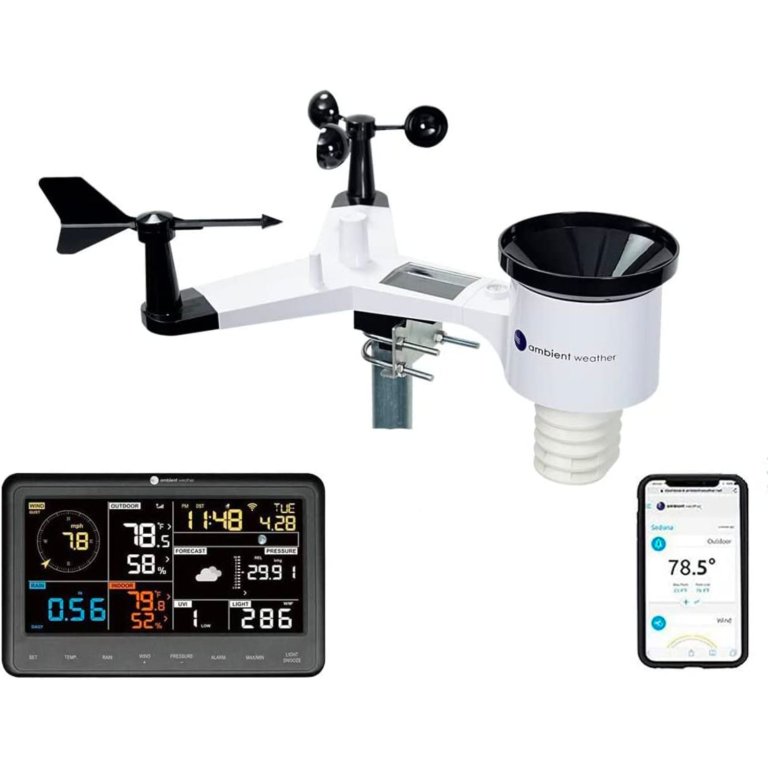
For a home weather station that goes above and beyond, consider this Alexa-compatible model from Ambient Weather. In addition to the basics like temperature, date, time, and precipitation, the WS-2902 shows wind speed and direction, humidity, UV and solar radiation, heat index, wind chill, and dew point on its easy-to-read LCD display. Because it’s solar-powered with backup battery power (AAA batteries not included), users needn’t worry about losing power.
In terms of remote access, the WS-2902C can transmit data over the internet with Wi-Fi connectivity. The sensor has seven different points to measure the elements accurately (mounting pole not included).
The Ambient Weather’s user manual details every connection step. After assembling the sensor array outdoors, we powered up the indoor console and followed the directions to sync it to the array. We mounted the weather station on a pole, then manually set the date and time. This is a WiFi-compatible model, and easily synced with our home wireless network.
We used a compass app to orient the weather station to true north to record accurate wind direction. After setup, we collected the data (wind speed, direction, and windchill) and compared it with the data from a nearby official weather station. The Ambient Weather array closely matched.
What our tester says: “This weather station is straightforward to install, produces accurate weather data, and allows you to publish local weather data online.”—Glenda Taylor, Bob Vila writer and product tester
Get the Ambient Weather home weather station at Amazon, Wayfair, Ambient Weather, or Walmart.
Runner-Up
Photo: Amazon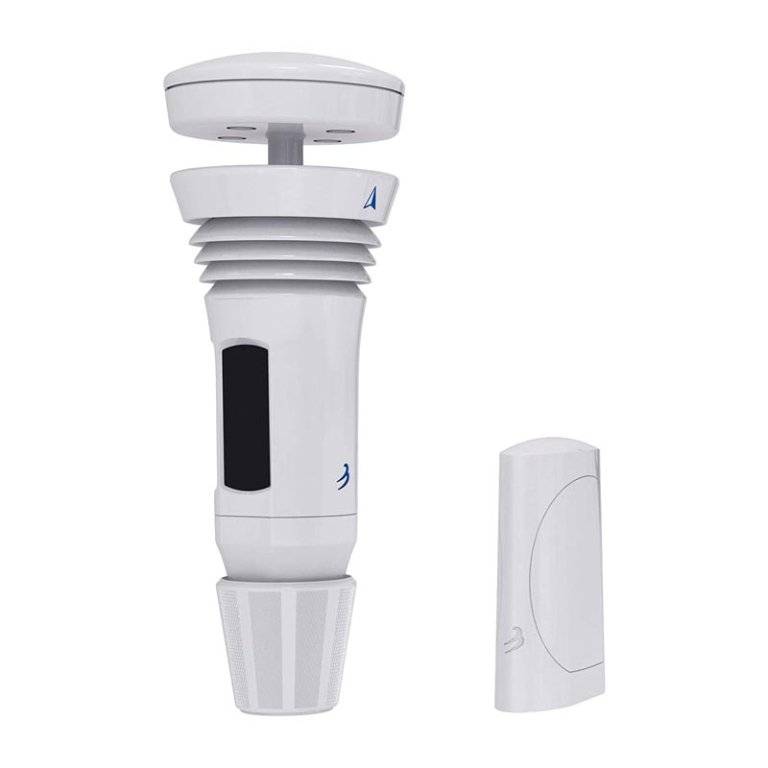
What We Like
- Measures multiple weather conditions accurately
- Setup is easy with user-friendly and intuitive app
- Smart-home weather monitoring system
- Sleek, modern design with reliable performance
What We Don’t Like
- High winds may skew rainfall data accuracy
Product Specs
- Wi-Fi capable: Yes
- Power source: Solar-powered array with battery backup
- Weather conditions monitored: Wind speed and direction, temperature, rainfall, barometric pressure, humidity, UV ray intensity, lightning strikes
Right out of the box, the WeatherFlow Tempest was impressive. While the other WiFi-capable weather stations we tested use a weather vane or an anemometer, the Tempest’s advanced design incorporates those features into its cutting-edge cylindrical array. It has no moving parts whatsoever, so at first, we thought it wouldn’t be capable of accurately measuring rainfall. We were wrong.
The Tempest uses a haptic rain sensor that measures rainfall by vibration rather than volume. The instruction manual suggests comparing rainfall totals with another nearby gauge, so we used our Davis Instruments Vantage Pro2 (see above) as the comparison model. We compared its data with our Davis Instruments Vantage Pro2, which reported 0.24 inches against the Tempest’s 0.22 inches, showcasing its accuracy, though the manufacturer cautions that high wind speeds can affect readings.
Like other Wi-Fi arrays that measure wind direction, the Tempest requires orientation to true north, which is made easier by an arrow on the unit. It uses an ultrasonic anemometer to detect and measure wind speed.
Added sensors for detecting nearby lightning, UV ray intensity, and ambient light are unique to the Tempest. However, it lacks an indoor display console, requiring us to download the app for setup and sync with our smartphone and router. The app was user-friendly and glitch-free.
We also connected it to Alexa for voice commands, allowing us to check wind speed conveniently. Additionally, we could publish data to online weather services like Weather Underground.
What our tester says: “The Tempest is just the ticket for those who enjoy home weather devices with advanced innovative technology.”—Glenda Taylor, Bob Vila writer and product tester
Get the WeatherFlow home weather station at Amazon or WeatherFlow.
Best Bang for the Buck
Photo: Amazon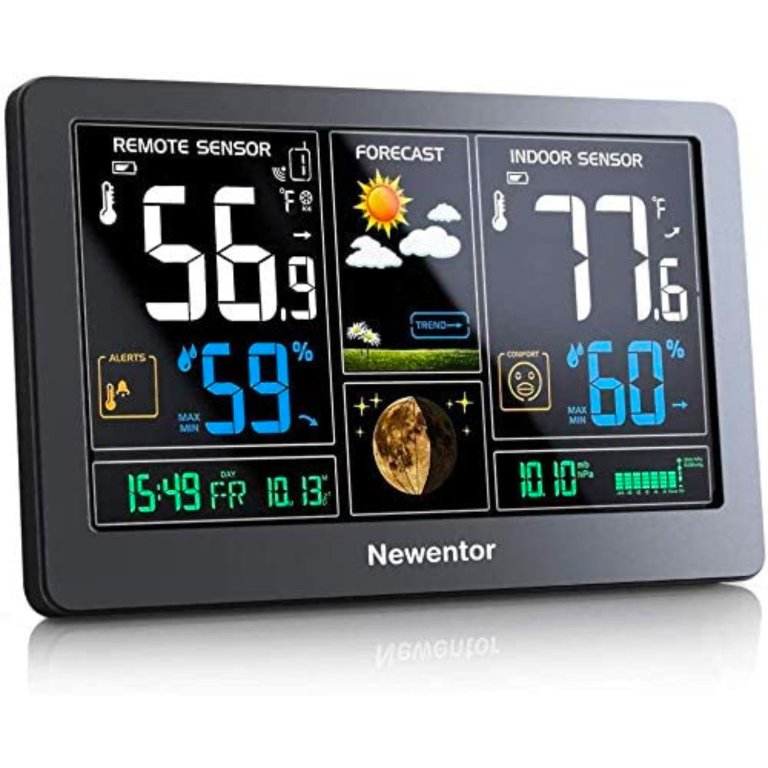
What We Like
- Offers an affordable option for tight budgets
- Simple, user-friendly interface for easy navigation and use
- Large, easy-to-read, 7.5-inch display screen ideal for outdoors
What We Don’t Like
- Not rain- or sunproof; must keep covered
PProduct Specs
- Wi-Fi capable: No
- Power source: Battery and plug-in
- Weather conditions monitored: Temperature, humidity
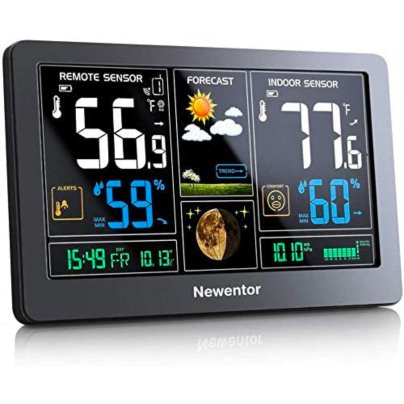
Those with large yards or multiple outdoor spaces to monitor should consider this home weather station from Newentor. With the ability to connect to three different outdoor sensors (only one is included), it can monitor temperature and weather conditions in multiple areas at once. Sensors should not be placed in direct sunlight or exposed to precipitation—under a protected eave is a good location.
This home weather station’s large, colorful, easy-to-read display shows both the outdoor and indoor temperature as well as humidity, time and date, moon phase, barometric pressure, and forecast. It offers a USB port for charging devices and the ability to customize alerts. The frost-alert function calculates temperature and humidity levels to predict when frost will occur.
Setting up the Newentor is quick and straightforward. We inserted two AA batteries into the outdoor sensor unit and plugged them into the display console. Within seconds, the sensor was transmitting data. The Newentor transmission range is advertised as “up to 200 feet,” but in our tests, it exceeded that, and we could transmit data up to 220 feet. Its temperature and humidity readings were both accurate.
The Newentor offers a weather forecast based on barometric pressure for the next 12 to 24 hours. While not as accurate as professional services, it’s useful for daily planning. This atomic model also quickly displays the time, date, and moon phases.
What our tester says: “This is a simple but fun weather monitor for those who want accurate readings without the extra fuss of a wireless model.” —Glenda Taylor, Bob Vila writer and product tester
Get the Newentor home weather station at Amazon or Newentor.
Best Midrange
Photo: Amazon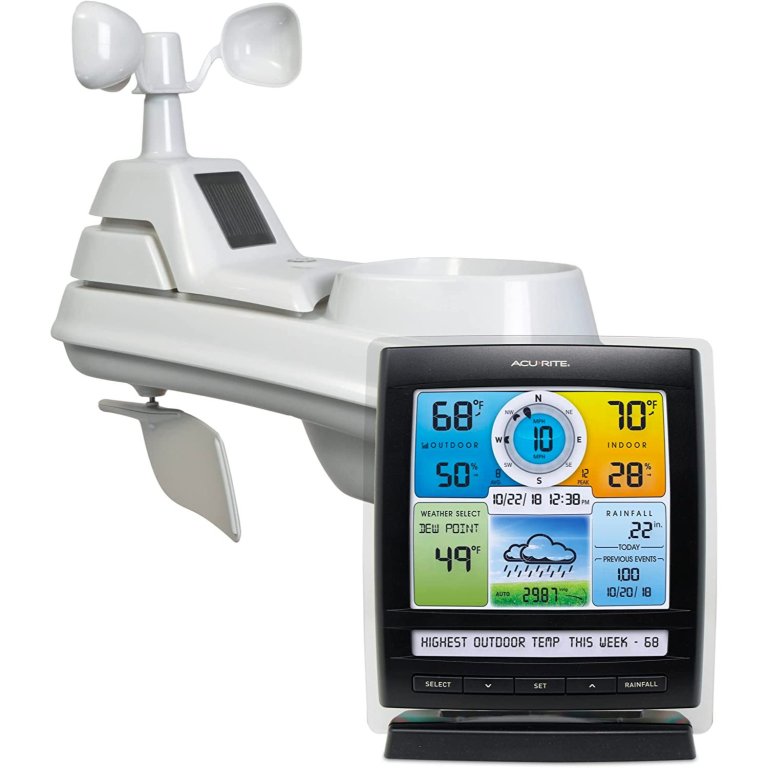
What We Like
- Large and easy-to-read display
- Provides comprehensive and accurate precipitation data
- Measures precise wind data
What We Don’t Like
- Mounting holes are undersized; they may require drilling
Product Specs
- Wi-Fi capable: No
- Power source: Solar-powered array with battery backup; battery-powered console
- Weather conditions monitored: Wind speed and direction, temperature, rainfall, barometric pressure, humidity
This solar-powered weather station measures temperature, featuring one of the best indoor thermometers, wind speed and direction, rainfall, and humidity. It displays the forecast, moon phase, and “feels like” temperature indoors, along with actual indoor and outdoor temperatures and humidity. While it’s a basic model without Wi-Fi, it provides historical data on high and low temperatures and weekly rainfall. Its sensor can be placed in direct sunlight, and it features self-emptying cups for rainfall measurement.
After inserting batteries in both the sensor array and the display console (eight AA batteries total, although an optional AC plug is included), we tested the Bluetooth range of the AcuRite Iris by having one person hold the array and walk away while the other person monitored the display. At just over 120 feet, the console stopped receiving a signal—hardly the 330 feet advertised, but still a decent range.
We then mounted the AcuRite Iris and leveled it using the handy bubble level on the top. After orienting the array to true north using a surveying compass, we compared temperature, humidity, wind speed, and wind direction data to that of the nearby official weather station, and the results were good.
One pesky downside to the AcuRite Iris is the undersized holes in the mounting base that accommodate very narrow screws. Since no screws came with the unit, that meant a trip to the hardware store. However, this is a nice little Bluetooth weather station with an impressive enhanced display console.
Get the AcuRite Iris home weather station at Amazon or Walmart.
Best Display
Photo: Amazon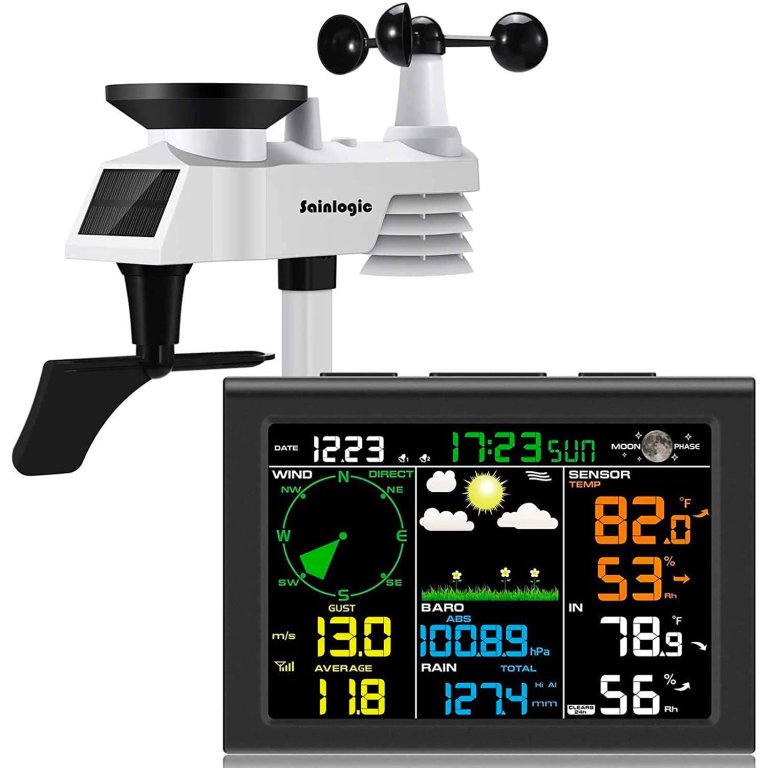
What We Like
- Measures temperature, humidity, and barometric pressure
- Provides frequent updates for reliable weather tracking
- Durable design withstands harsh weather conditions
What We Don’t Like
- Lacks Wi-Fi support for smartphone or tablet
- Small console screen may impair visibility
Product Specs
- Wi-Fi capable: No
- Power source: Solar-powered array with battery backup; battery-powered console
- Weather conditions monitored: Wind speed and direction, temperature, rainfall, barometricpressure, humidity, dew point
The Sainlogic wireless weather station accurately monitors weather conditions and transmits data using Bluetooth technology. While this weather station resembles models that feature Wi-Fi capability, the Sainlogic will not connect to a home network, so data cannot be uploaded to an online weather service. However, for a Bluetooth-only array, the Sainlogic is accurate and comes with multiple sensors that monitor outdoor temperature, indoor home temperatures, wind speed and direction, rainfall accumulation, and barometric pressure.
We checked the transmission range of the array and found it could accurately transmit data just over a 250-foot distance. We mounted the station and used a surveying compass to orient it to true north. The Sainlogic uses a traditional anemometer and weather vane to measure wind, and its data was comparable to the data of our larger weather station.
The display console is atomic; we just plugged it in, and it quickly lit up and displayed the correct time, indoor temperature, humidity, and moon phase. After a few minutes, it registered wind speed and direction. The console offers multiple functions, including programming alerts for wind gusts, dew point, temperature, and humidity. The alarm is loud, but at just 5 inches long by 4 inches wide, the display is difficult to see from across the room.
Get the Sainlogic home weather station at Amazon or Sainlogic.
Best Mini Sensor
AcuRite Notos 3-in-1 Home Weather Station
Buy at Amazon Buy at The Home Depot Buy at Blain's Farm & FleetWhat We Like
- Measures temperature, humidity, and wind speed
- Easy-to-read digital display for quick weather updates
- Durable, weather-resistant design for long-lasting performance
What We Don’t Like
- Lacks rainfall measurment, limiting weather-tracking capabilities
Product Specs
- Wi-Fi capable: No
- Power source: Battery-powered
- Weather conditions monitored: Wind speed, temperature, barometric pressure, humidity, dew point, windchill, heat index
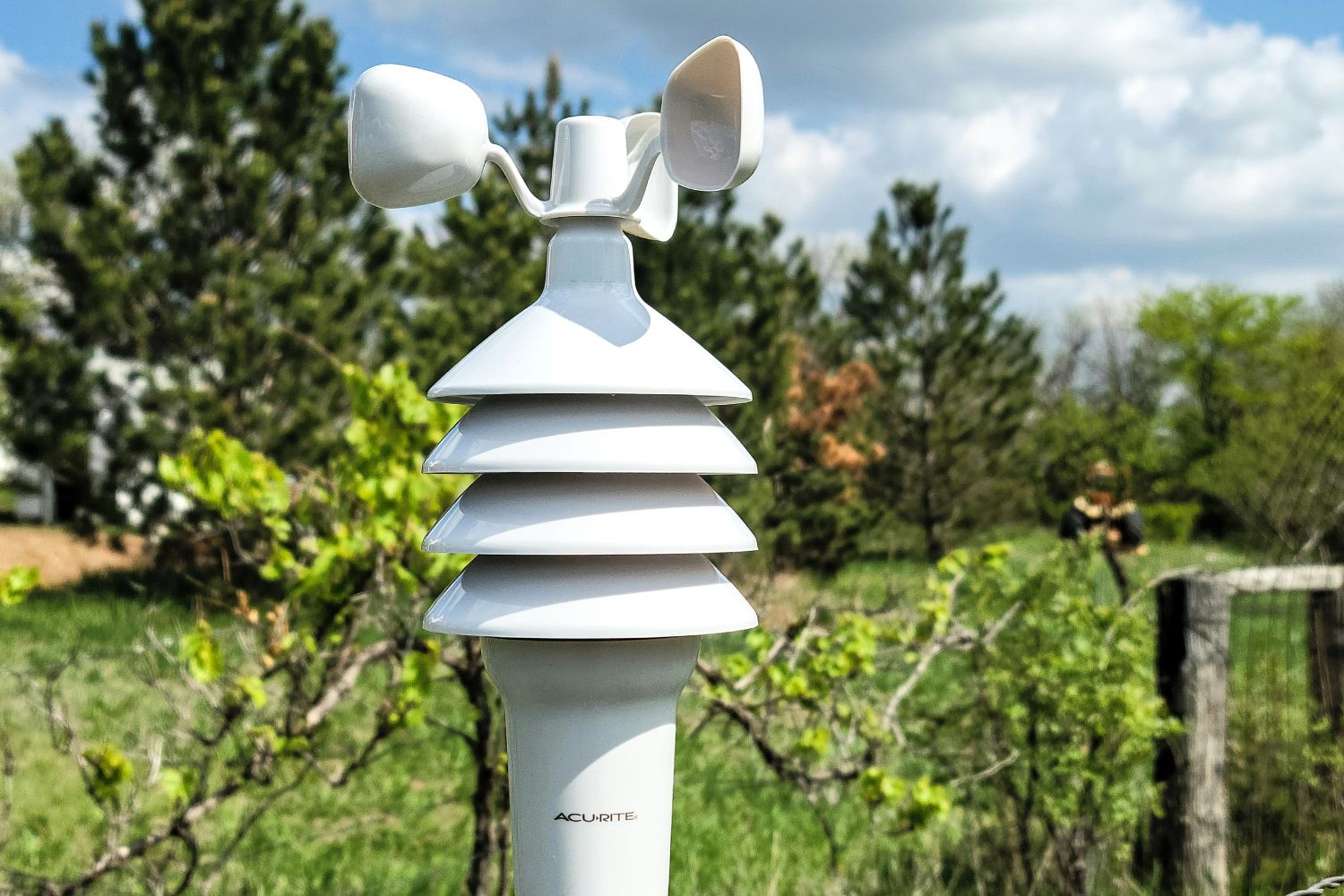
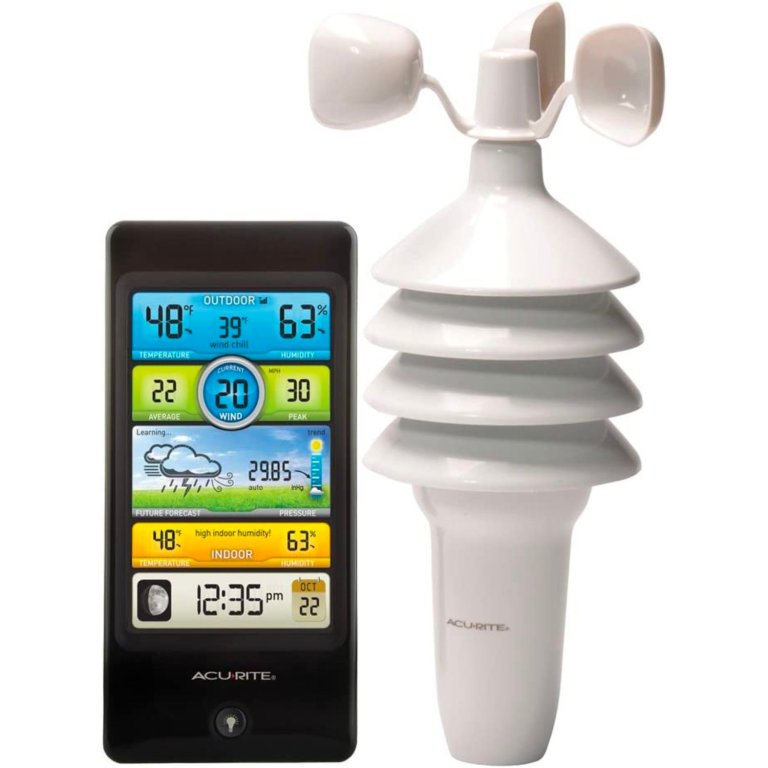
The AcuRite Notos 3-in-1 weather station is reliable and user-friendly, offering outdoor temperature, humidity, wind speed, heat index, and windchill readings. Though it lacks Wi-Fi connectivity, it provides many essential weather metrics.
Invest in a large pack of AA batteries because the weather station takes four, and the display unit uses two, which are not included. We found the color display easy to read, providing a clear overview of the current weather conditions and a forecast based on internal barometric pressure readings. This is a self-calibrating unit, but for the sensor to communicate with the base display, we had to set interior switches in the sensor and the display to the same setting. We tried all three settings, with consistent signal strength across switches A, B, and C.
After initial power-up, readings took an hour to appear, with full calibration completed in 14 days. When compared to the Davis Vantage Pro2, the Notos had slightly lower wind speed readings, likely due to height differences in mounting. The temperature readings were very close every time we checked them.
One of our favorite features was the “what-it-feels-like” reading, giving a better sense of outdoor conditions. Other fun features include a wind speed history and a moon cycle display. We could get readings between the display and the sensor up to 250 feet apart.
All in all, this is a nice little weather station—a midrange model for someone who wants accurate readings but isn’t interested in a Wi-Fi model. The only downside for us was the lack of rainfall readings.
Get the AcuRite Notos home weather station at Amazon, The Home Depot, Blain’s Farm & Fleet, Tractor Supply Co., or AcuRite.
Best App Experience
La Crosse Technology Smart Wi-Fi Weather Station
Buy at Amazon Buy at Kohl's Buy at La Crosse TechnologyWhat We Like
- Easy setup and syncing
- Bright, highly informative display
- Reliable readings in daily testing
- Excellent app-based features
What We Don’t Like
- Build feels somewhat flimsy
- Higher price for plastic housing
Product Specs
- Wi-Fi capable: Yes
- Power source: Battery-powered
- Weather conditions monitored: Wind speed, wind direction, rainfall, temperature, and humidity
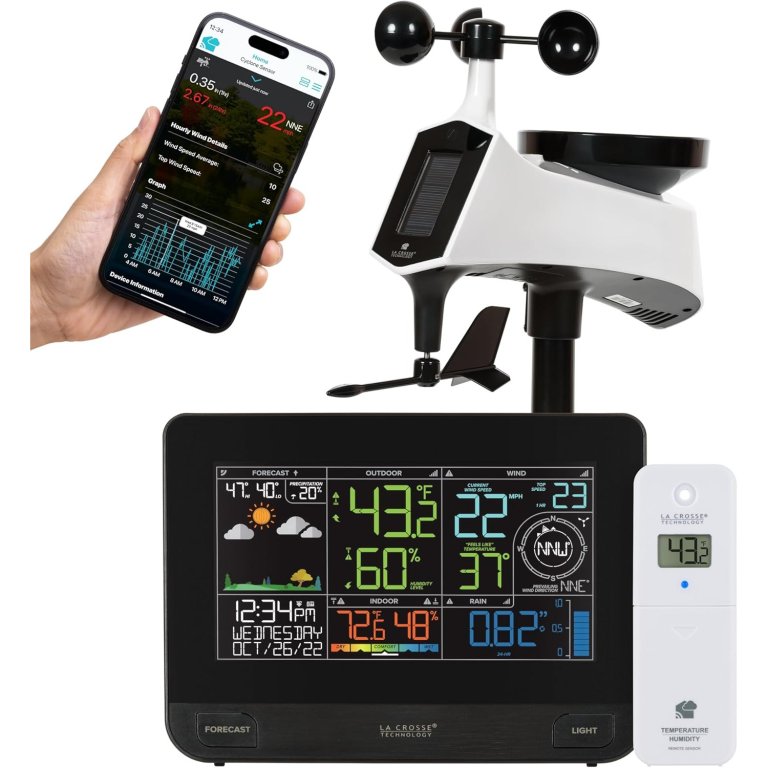
The La Crosse Technology Smart Wi-Fi Weather Station impressed us immediately with just how easy it was to get started. Setup took only a few minutes—pop in the batteries, plug in the indoor display, mount the temp/humidity sensor on a porch wall, and secure the main weather station on a backyard pole. Everything synced automatically through the La Crosse View app, which adds deeper data, charts, and alert customization. Even without the app, the onboard display is bright, colorful, and loaded with information, including indoor/outdoor temperature and humidity, rainfall, wind speed and direction, moon phase, and a six-icon dynamic forecast.
While testing in humid Florida, the station delivered consistently accurate readings and quickly became part of our daily routine. We found ourselves checking the screen every morning for the day’s forecast and the latest temperature swings. The menu options allow you to customize everything from backlight levels to rainfall windows to decimal precision, and the internet-connected features—like updated forecasts and hourly highs and lows—enhance the station even further.
The only drawback is the physical build. For a $200 unit, the plastic housing feels flimsier than expected. Still, performance and connectivity were rock-solid throughout testing, and the app integration makes it a strong smart-home-friendly pick for anyone who wants reliable weather insights at a glance.
Get the LaCrosse home weather station at Amazon, Kohl’s, or La Crosse Technology.
Jump to Our Top Picks
How We Tested the Best Home Weather Stations
| Testing Stats | |
| Products tested | 10 |
| Time spent testing | 2 months |
| Tests performed | 2 to 6 |
| Price range | $35 to $770 |
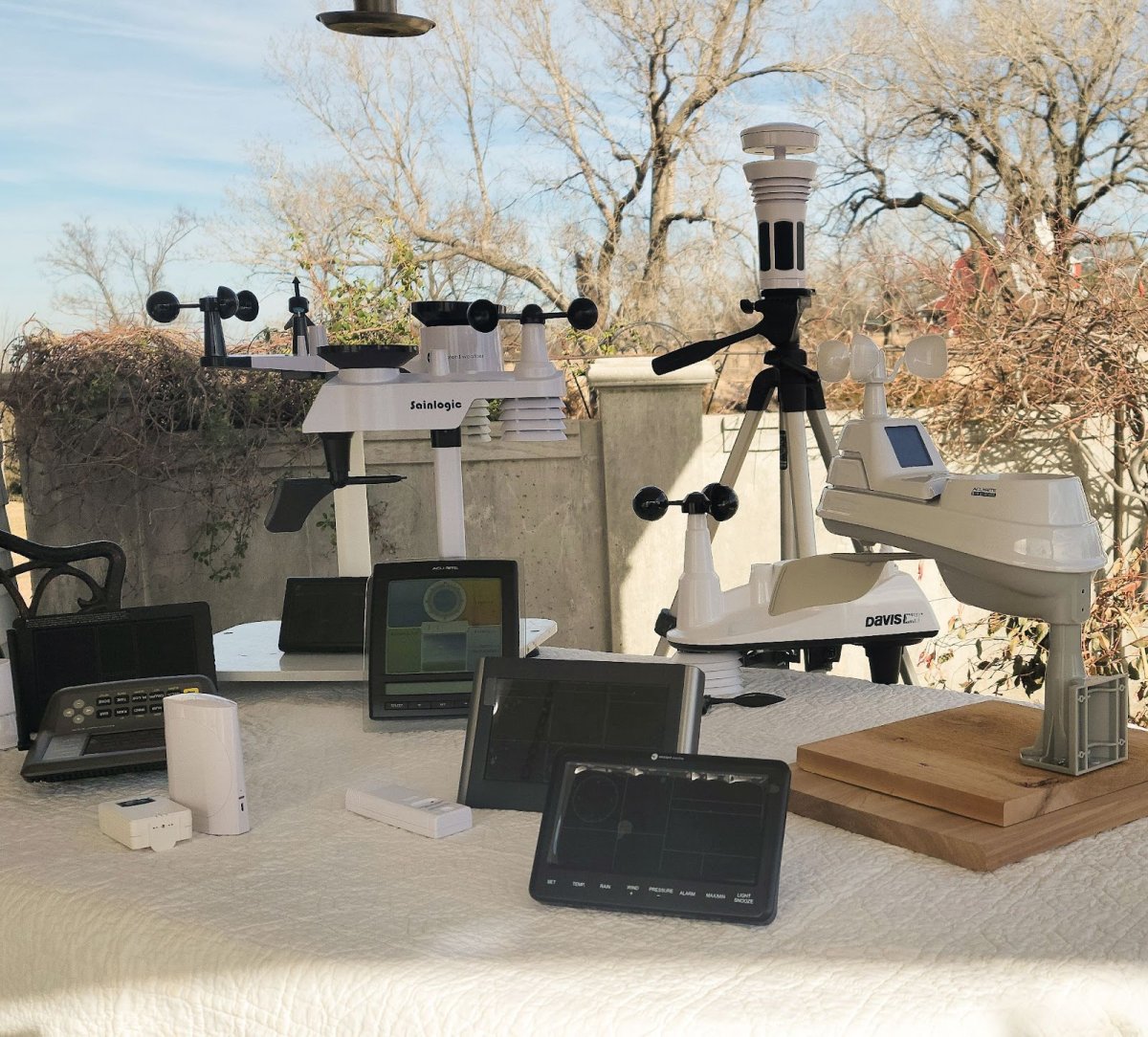
To determine the best household weather stations, we reviewed 10 models from both major and smaller manufacturers, evaluating accuracy, durability, connectivity, ease of setup, sensor range, display quality, and overall value. Following expert guidance from Nelson, we installed each unit outdoors in areas free from heat distortion and mounted wind sensors to true north using a survey compass. We then compared temperature, humidity, rainfall, and wind readings against a nearby official station and our Davis Instruments Vantage Pro2 to score precision and repeatability.
For Wi-Fi–enabled models, we connected each to our home network, created individual online accounts, and verified successful data uploads, app functionality, and smart-feature performance. We also measured transmission distance, inspected build quality, reviewed customer-support options, and considered brand reputation to ensure our final picks lived up to their advertised claims.
What to Consider When Choosing a Home Weather Station
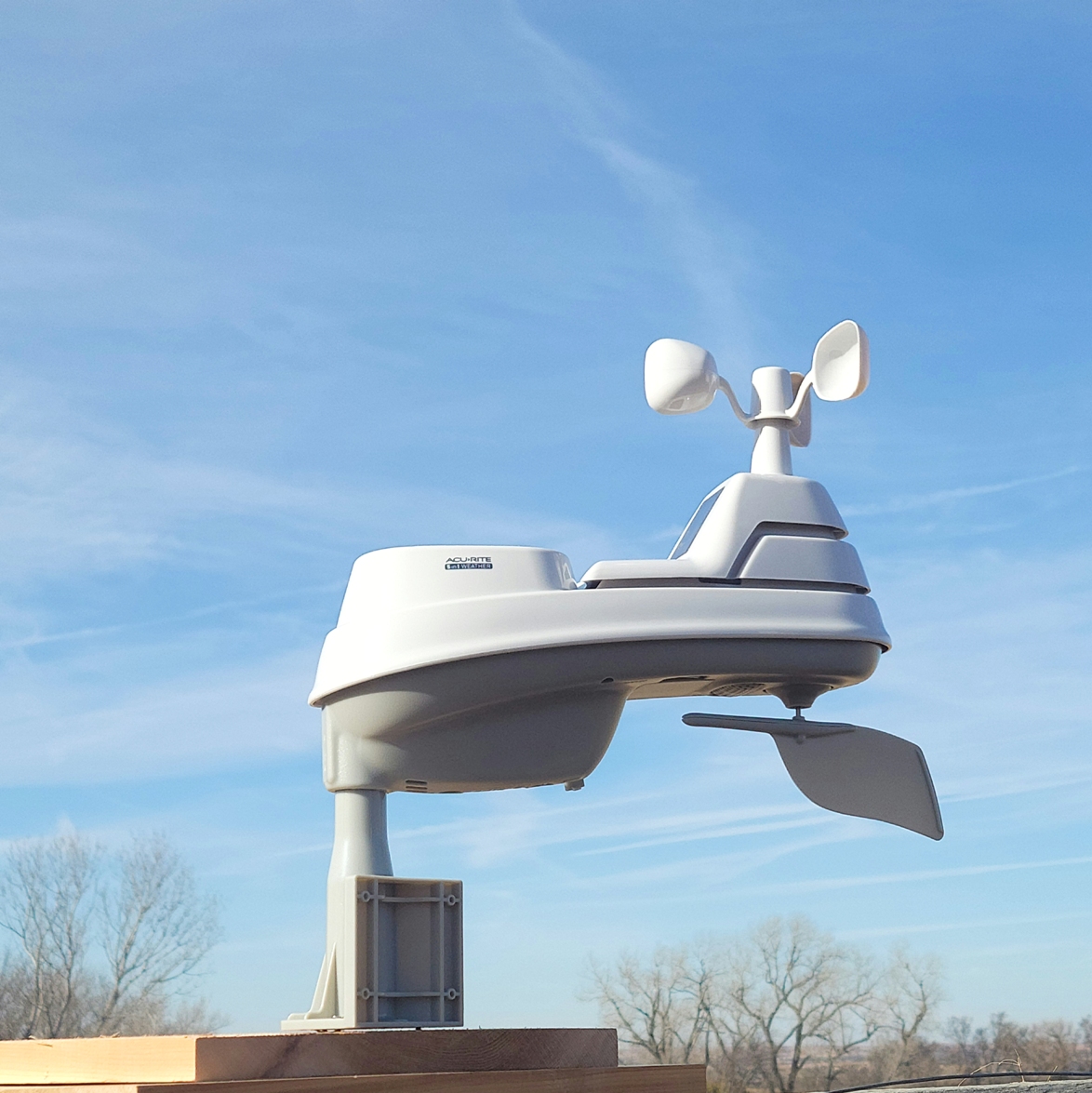
If you want to know the recent rainfall total in your garden or whether you should grab a warmer jacket before heading out for the day, a weather monitoring station can quickly and accurately give you information to help you plan your day’s activities. When shopping for one, keep in mind the power source, functions, accuracy, display, and other considerations, all detailed below.
Power Source
A home weather station’s power source is essential for its function. Many are wireless, running on solar or battery power, which lets you place the station virtually anywhere without the need for a nearby electrical outlet. Solar-powered units (which typically have a backup battery as well) absorb and transform sunlight into power to run the weather station while charging the backup batteries. Most solar-powered weather stations don’t require high levels of direct sunlight, but they do need some, so select a spot in the yard where the unit will receive an average of 2 to 6 hours of sunlight per day.
Functions
While nearly all good weather stations for home report temperature, precipitation, and humidity, some have extra features that detail the heat index, windchill, moon phase, solar radiation, and sunrise/sunset times. Consider your priorities to determine if these readings would be worth knowing—and paying for.
Accuracy
Several factors can influence the accuracy of a home weather station, including the placement of the device and how often it takes measurements throughout the day. A home weather station’s materials and construction can also affect its accuracy. For instance, some models with plastic-covered sensors tend to overheat and give false readings, while those with a protective shield or fan help mitigate inaccuracy. Once you choose a home weather station, make sure to follow setup instructions specific to the product to ensure the readings will be as accurate as possible.
Display
The display on a home weather station model should provide at-a-glance information that’s easy to read and manage. Consider the size of the display console: Will household members require a larger display for easy readability, or would you prefer something more compact or discreet?
Sensor Range
Home weather stations employ a variety of sensors—small devices that detect and measure weather conditions—such as temperature, humidity, barometric pressure, and UV intensity. These sensors, which vary from unit to unit, are located on the part of the weather station that’s kept outdoors, which is generally known as the “array.” The array’s sensor range indicates how far the sensors can transmit data to a receiving unit, such as a display console, hub, or wireless router. The average sensor range is about 100 feet, but some models can deliver accurate readings from 300 or even 1,000 feet away.
Weather station manufacturers typically denote their product’s outdoor weather sensor range from the array to the receiving unit without making allowances for objects between the two points, such as walls or trees. The actual sensor range can vary depending on the number of objects that lie between the two points. For example, a weather station with a sensor range of 300 feet may only be able to transmit data up to 100 feet if multiple walls, trees, and hedges lie between the array and the receiving unit.
Remote Access
Remote access enables you to view weather station readings from anywhere via smartphone, tablet, or computer. Depending on the unit, it may also allow you to view current and previous weather data, along with any alerts. Typically, this is done through a brand-specific app. Remote access doesn’t come standard on all home weather stations, so check the product information if this feature is important to you.
Smart Technology
In addition to remote access, consider compatibility with smart-home technology such as Amazon Alexa, Google Home, and other programs and apps to access weather information remotely or by using voice commands. Syncing with an app and a home wireless network lets you access weather station data via a smartphone—very convenient when at work, on vacation, or otherwise away from home. This yard technology can also be useful if you have additional smart-home appliances, such as a furnace that can be turned on remotely if the outdoor temperature is dropping.
Weather Station Connectivity
Some home weather stations sync with online weather services, such as PWS and Weather Underground. Some enjoy being part of an online community of weather enthusiasts and enjoy the ability to collect weather data and upload it to the internet for others to see.
For others, the benefit is more practical. Farmers can pull up these online weather services to check nearby outdoor weather stations and find out how much rain fell overnight or how hard the wind is blowing. For still others, such as family members who live out of state, being able to check on the weather conditions where their loved ones live can be reassuring.
To connect to an online weather service, you must have a wireless home network; once connected, data from your weather station can be uploaded and viewed online.
Operation and Durability
Keep the following info in mind when choosing and setting up a home weather station for consistent, long-lasting results:
- Smaller weather stations with sensors that detect and report only temperature and humidity must often be located where they won’t receive direct sun, which skews their data.
- A weather station with rain gauge features that detect rainfall or wind speed should be located where it has unencumbered access to wind and rain, such as in an open area at least 25 feet from structures and trees. The array should be securely mounted to a pole, roof, fence post, or other immovable item.
- A quality weather station array can last up to 10 years or longer, although some sensors may require replacement if damaged by high winds or hail. Inexpensive temperature- and humidity-only units may not last as long but should give reliable readings for a few years at least.
- A manufacturer’s warranty can be an indication of durability. A weather station with a 3-year warranty on all replacement parts will likely last longer than one with a 1-year warranty that only covers factory defects.
FAQs
Weather stations connect to an outside sensor that comes with the model to measure temperature, rainfall, wind speed, humidity, and in some cases much more. They give you the ability to know the weather at your particular location before heading outside.
Yes—when set up properly and placed in an appropriate location, weather stations are fairly accurate. Always follow the instructions for placing the sensors with the particular product you buy.
Set up the sensor (also known as the array, with multiple sensors) and then set up the indoor display. Each model requires a slightly different setup, so follow the manufacturer’s instructions carefully.
This depends on the model; some have only a 2-year warranty, while others can last for up to 20 years.
To ensure accurate readings, position your weather station in an open area, away from buildings, trees, direct sunlight, bodies of water, or other structures that can obstruct wind or rain. For the best results, mount the station on grass or natural ground rather than concrete, which can influence temperature measurements.
No—Wi-Fi is optional for many weather stations. With Wi-Fi-enabled models, you can send data to smartphones, computers, or online weather services.
To obtain accurate wind readings, it’s best to install the anemometer (wind sensor) at approximately 33 feet above ground, ideally on a rooftop. For general temperature and humidity sensors, a height of 5 to 6 feet above ground is recommended. This height minimizes interference and ensures accurate readings.
Meet the Testers
Paul Rankin is a seasoned product tester who blends hands-on weather gear experience with clear, detailed reviews to help readers choose reliable, real-world-tested home weather stations.
Glenda Taylor is a product tester and writer specializing in the construction, remodeling, and real estate industries. She and her husband own a general contracting company, and Taylor is experienced in both residential and commercial building applications. She tests a wide range of power tools as well as other home improvement, household, and lawn-and-garden products.
Additional research provided by Jenn Ryan.